Space
The sky turns to space from about 18 km up, and jets flame out.
- Version
- Version 0.2.3
- Works with
- SimplePlanes 2 0.7.9
- Updated
- Category
- Weather & sky
- Online
- Local onlyExperimental: still has bugs in multiplayer
- Needs
- BepInEx 5. The Gravy Mod Menu is recommended.
What it does
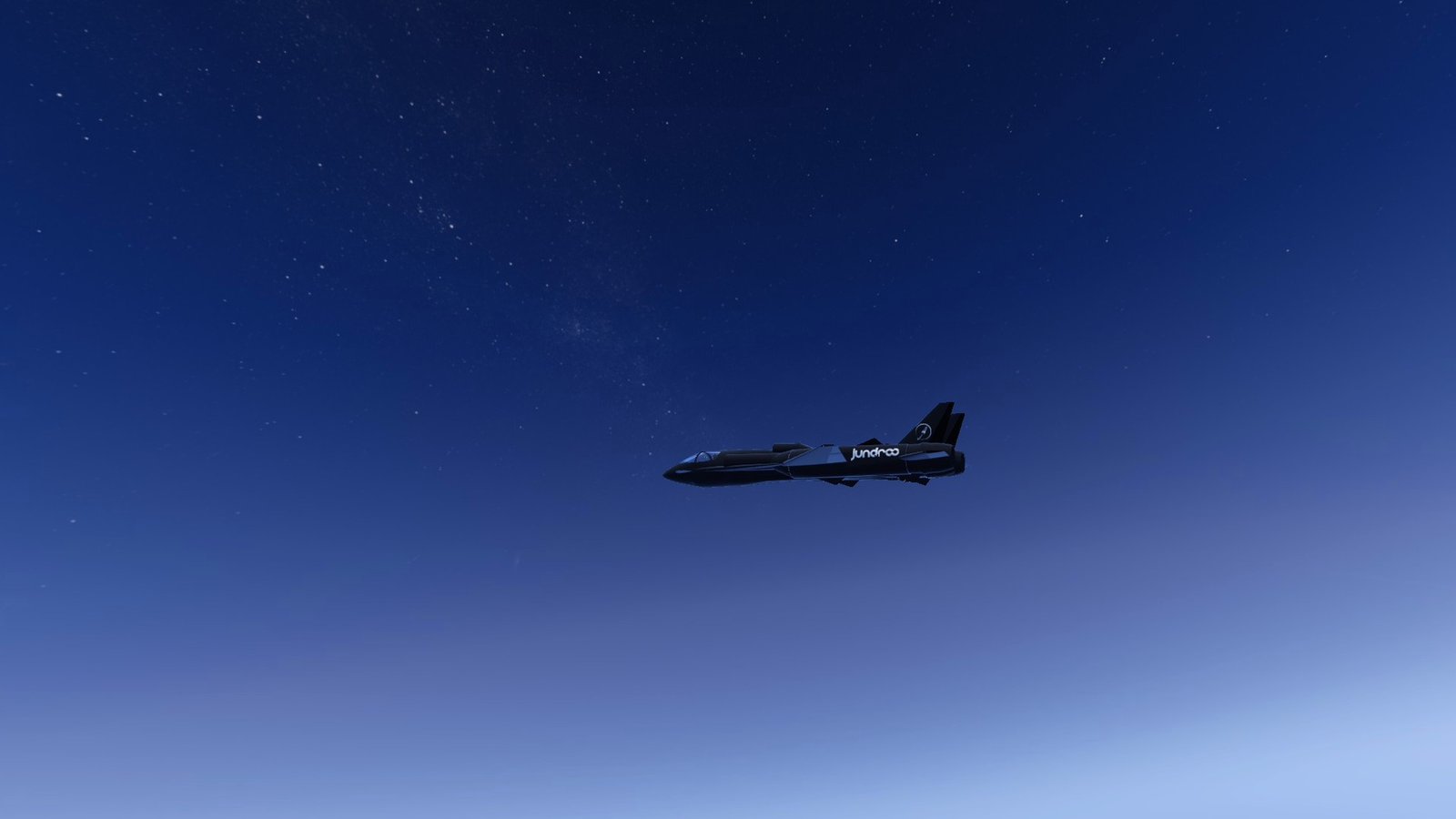
Leaving the atmosphere in SimplePlanes 2 now looks like it. Climb past about 18 km and the sky slowly turns into the game's own night sky, stars included, even at midday, while the sun and the lighting stay as they are. Come back down and the normal sky returns. Jet engines flame out in the thin air while rocket-style engines keep pushing, and gravity can optionally weaken as you climb.
 (open larger)
Features
- Space sky: above the start altitude the sky blends smoothly into the game's night sky: its night colours, stars and galaxy. The full night sky is reached at the "full space" altitude (30 km by default, where the game's atmosphere ends).
- Only the sky you see changes. The sun, ambient light, reflections, fog, clouds and water stay exactly as the game draws them in daytime, so the ground and sea stay sunlit.
- Nothing is saved or overwritten: below the start altitude the sky is the game's normal sky again.
- Jet flame-out: the game already reduces jet thrust with air pressure (zero above 30 km) and propellers with air density. On top of that, air-breathing jets flame out at the flame-out altitude (26 km by default) and relight 2 km lower on the way down, with a message. Engines that don't need air (rocket-style engines) are not affected. Only crafts your game simulates are affected (see Multiplayer below).
- Gravity falloff (optional, off by default): gravity weakens with altitude by the inverse-square law. On Earth that's only about 1% at 30 km, so you can use a smaller planet radius to make it noticeable. Single player, or hosting with nobody else connected (see Multiplayer below). The game's own gravity zones keep working on top of it.
- Live status: altitude, air density, state (atmosphere, leaving the atmosphere, in space), jets and gravity.
Usage
Show usageHide usage
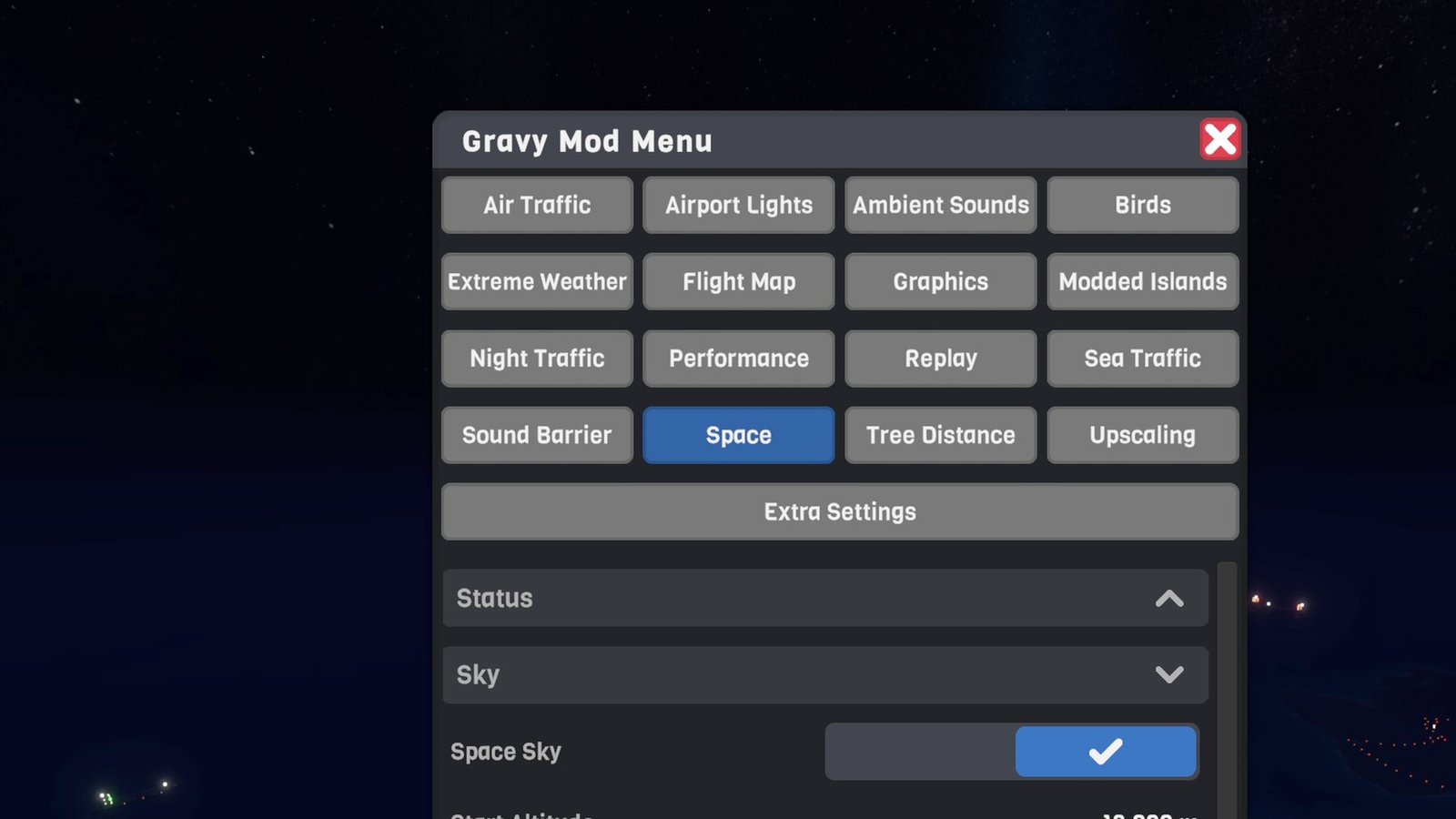
Settings and the live status live in the Gravy Mod Menu (Space tab) if that mod is installed. Without it, edit the .cfg file. Changes apply immediately.
 (open larger)
Multiplayer
Show multiplayerHide multiplayer
Experimental online. This mod runs in multiplayer, but it still has bugs there that aren't fixed yet. It works best in single player for now.
Local, with one single-player option. Other players don't need the mod.
- Space sky: only on your screen.
- Jet flame-out: only on crafts your game simulates: yours, and AI crafts you host. Other players' crafts are never touched. On their screens your jet keeps its flame and sound (it does lose thrust).
- Gravity falloff: single player, or hosting with nobody else connected (AI crafts don't count). Gravity applies to everything your game simulates, so it goes back to normal as soon as another player joins.
Settings
Show all settingsHide settings
| Section | Setting | Default | Notes |
|---|---|---|---|
| Sky | Enabled | true | Space sky on/off |
| Sky | StartAltitude | 18000 m | Sky starts turning into the night sky |
| Sky | FullAltitude | 30000 m | Full night sky |
| Sky | NightSky | 100% | How close the sky gets to the night sky |
| Sky | Stars | 1.0 | Star brightness, relative to the game's night |
| Engines | JetFlameout | true | Jets flame out in thin air |
| Engines | FlameoutAltitude | 26000 m | |
| Engines | RelightMargin | 2000 m | Jets relight this far below the flame-out altitude |
| Engines | Messages | true | Flame-out and relight messages |
| Gravity | GravityFalloff | false | Single player, or hosting alone |
| Gravity | PlanetRadiusKm | 6371 km | Smaller = stronger falloff |
Known limitations
Show known limitationsHide known limitations
- Only the sky changes: there's no curved horizon or Earth-from-orbit view, and the game's haze and clouds stay as they are.
- The game's atmosphere ends at 30 km: above that wings and propellers produce nothing, as before. There's no orbital physics.
- In the game's Skybox ambient mode the ambient light is held while the space sky shows, so it keeps the daytime sky's colour; its brightness still follows the time of day (through a sunset, for example).
Requirements
Show requirementsHide requirements
- SimplePlanes 2 0.7.9
- BepInEx 5 (5.4.x, x64 Mono build) installed in the game folder. On Linux/Steam Deck with Proton, add
WINEDLLOVERRIDES="winhttp=n,b" %command%to the game's launch options.
The Gravy Mod Menu is recommended: most mods keep their in-game settings and status there. Without it, edit the .cfg files in BepInEx/config/.