Gravy Mod Menu
One in-game menu for every mod's settings, plus extra game settings.
- Version
- Version 0.1.5
- Works with
- SimplePlanes 2 0.7.9
- Updated
- Category
- Menu
- Online
- Local onlyExperimental: still has bugs in multiplayer
- Needs
- BepInEx 5
What it does
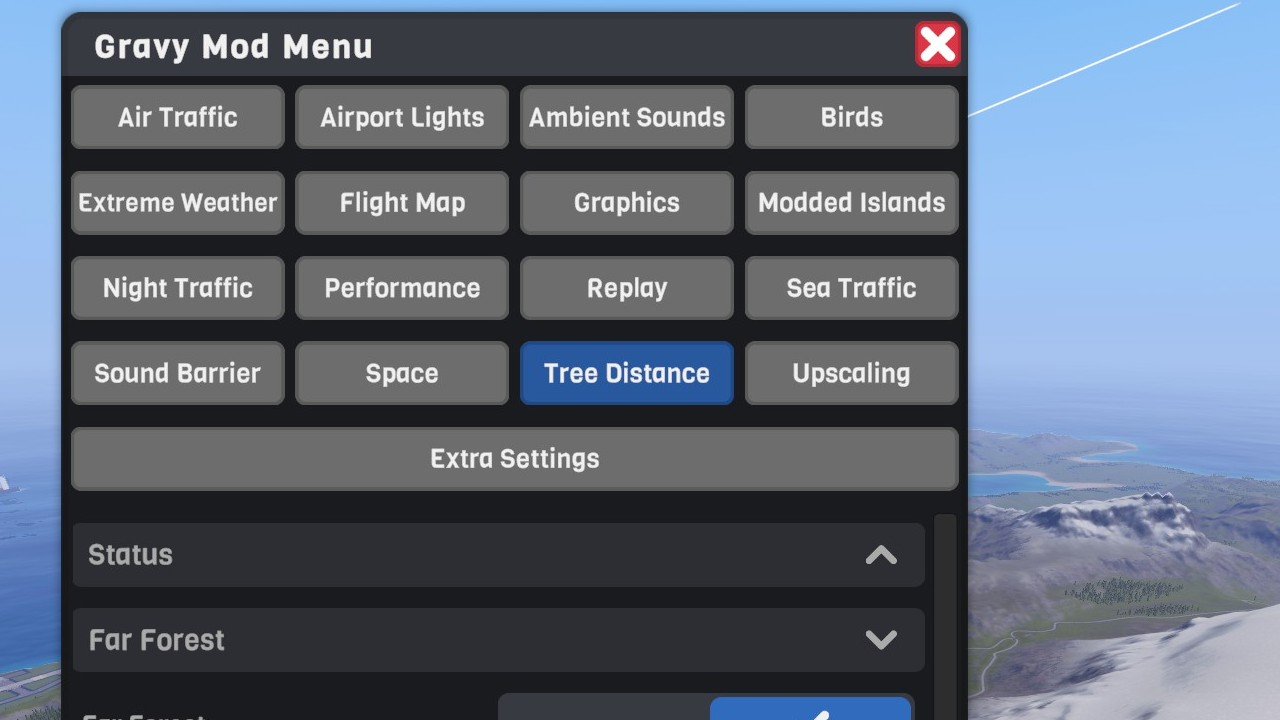
An in-game mod menu for SimplePlanes 2 that looks and works like the game's own UI.
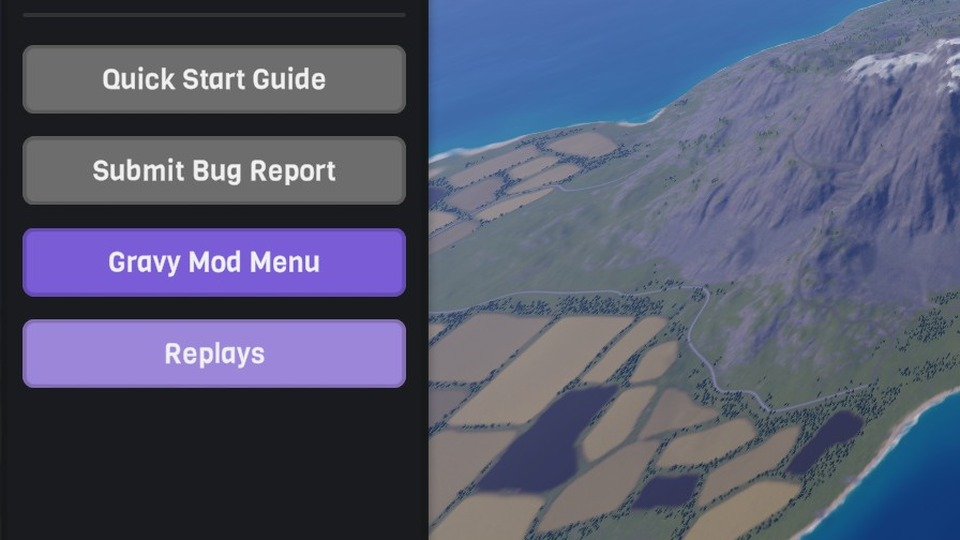
It adds a lavender Gravy Mod Menu button to the flight MENU, below "Submit Bug Report". The button opens a panel that behaves like the Environment Settings window:
- it isn't modal, so you can keep flying;
- it can be dragged;
- it hides with the flight UI.
It's built from the game's own dialog, toggles, sliders, spinners and collapsible sections.
 (open larger)
Tabs
Show tabsHide tabs
- One tab per supported mod that's installed, e.g. Air Traffic and Flight Map.
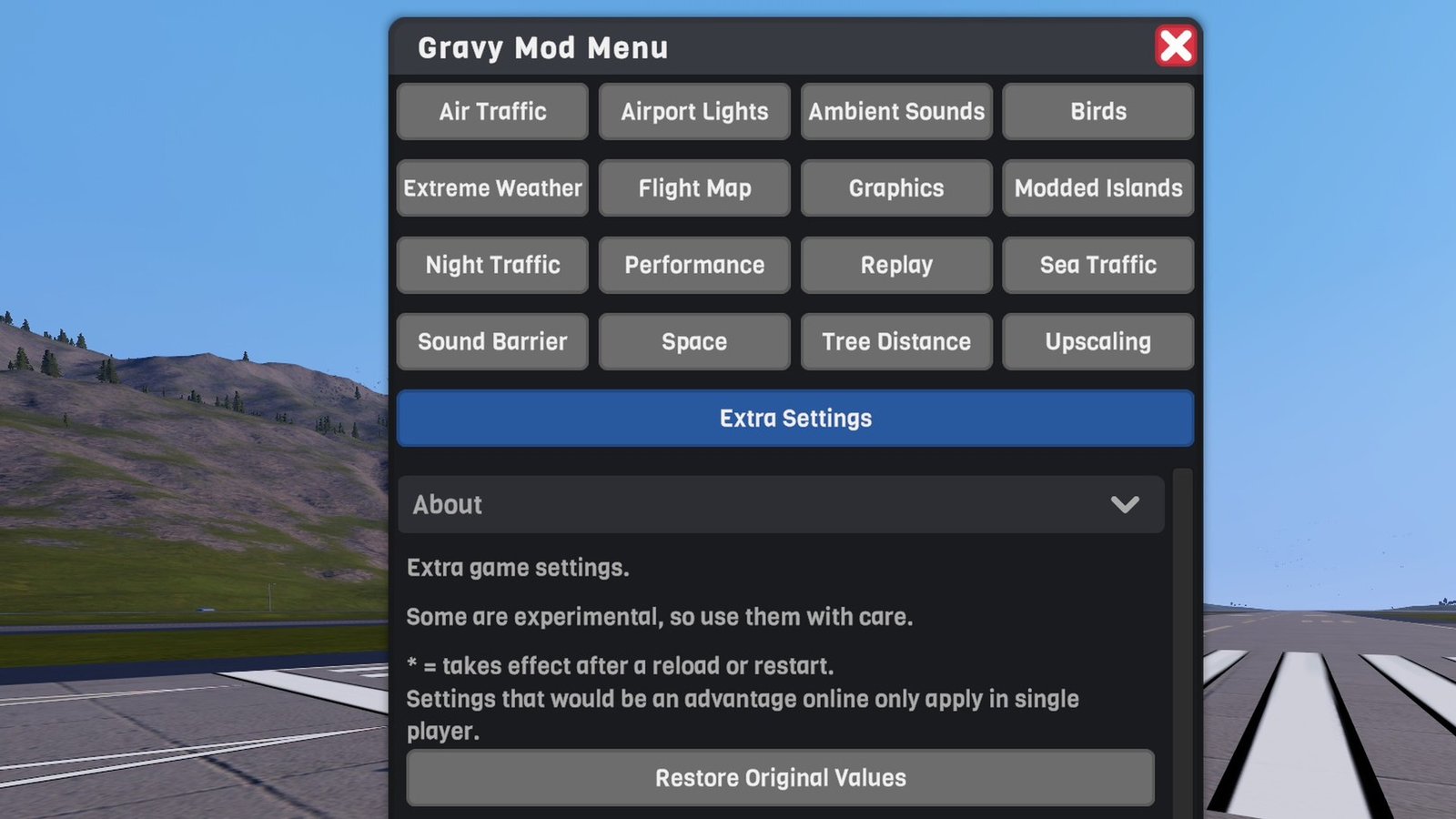
Extra Settings: more game settings than the Settings screen shows, such as:
- craft culling, occlusion culling, physics and predictor quality, water reflections;
- ground traffic, drag scale, length of day;
- designer nudge/rotate amounts and sky colours, and more.
Notes:
- Changes apply and save immediately.
- Drag Scale is single player only (see Multiplayer below).
- Settings marked
*need a flight reload or a game restart. - The first time the tab opens, it saves each setting's current value to
BepInEx/config/GravyMenu.OriginalSettings.xml. Restore Original Values puts them back.
Some of them are experimental, so use them with care.
 (open larger)
Multiplayer
Show multiplayerHide multiplayer
Experimental online. This mod runs in multiplayer, but it still has bugs there that aren't fixed yet. It works best in single player for now.
- The menu is local. It sends nothing over the network, and other players don't need it. Each mod's tab follows that mod's own multiplayer rules (see its page); for example, Extreme Weather's event buttons only work for the host.
- Extra Settings are the game's own settings, so online they behave as they do in the game:
- Drag Scale is single player only. It changes how fast your own craft flies, and online you fly your own craft, so it would be an advantage in public lobbies and races. In multiplayer (hosting or joining) it's greyed out and held at 1, even if you changed it in single player first. Your value comes back automatically the next time you fly in single player.
- Length of Day only matters when you host: the host's day length is used by everyone.
- Ground traffic convoys exist only on your screen; other players don't see them.
Adding a tab to your own mod
Show adding a tab to your own modHide adding a tab to your own mod
No reference to this mod is needed. It finds plugins by reflection.
public class Plugin : BaseUnityPlugin
{
    // Opt in: every config entry becomes a control, grouped by config section.
    public const string GravyMenuTab = "My Mod";

    // Optional: live label/value rows at the top of the tab (refreshed twice a second).
    public static Func<IEnumerable<(string, string)>> GravyMenuStatus => () => new[] { ("Speed", "123 m/s") };

    // Optional: buttons.
    public static IEnumerable<(string, Action)> GravyMenuActions => new (string, Action)[] { ("Do Thing", DoThing) };
}
Each config type gets a matching control:
| Config type | Control |
|---|---|
bool | toggle |
int / float with AcceptableValueRange | slider |
UnityEngine.InputSystem.Key | press-to-rebind button (Esc cancels, Backspace sets None; warns if the game or another installed mod uses the key) |
enum, or AcceptableValueList<string> | spinner |
| anything else | text box |
GravyMenuStatus and GravyMenuActions must be public static with exactly those types; anything else is ignored with a warning in the BepInEx log.
Optional string tags in the ConfigDescription tweak how an entry appears:
| Tag | Effect |
|---|---|
gravy:label=Nice Name | display name |
gravy:unit= km | unit suffix |
gravy:step=0.5 | slider step (whole numbers for int settings) |
gravy:percent | show as a percentage |
gravy:hidden | don't show the entry |
gravy:section=Name | show it under this section instead of its config section |
Several mods can share one tab: give them the same GravyMenuTab name. Their settings, status rows and buttons are shown together, sections with the same name are merged, and gravy:section puts entries from different mods under one heading. The Classic Islands mods do this for their Modded Islands tab.
Requirements
Show requirementsHide requirements
- SimplePlanes 2 0.7.9
- BepInEx 5 (5.4.x, x64 Mono build) installed in the game folder. On Linux/Steam Deck with Proton, add
WINEDLLOVERRIDES="winhttp=n,b" %command%to the game's launch options.