Night Traffic
Car lights at night, low-poly cars by day, street lights and lit trains.
- Version
- Version 0.5.0
- Works with
- SimplePlanes 2 0.7.9
- Updated
- Category
- Traffic
- Online
- Local onlyExperimental: still has bugs in multiplayer
- Needs
- BepInEx 5. The Gravy Mod Menu is recommended.
What it does
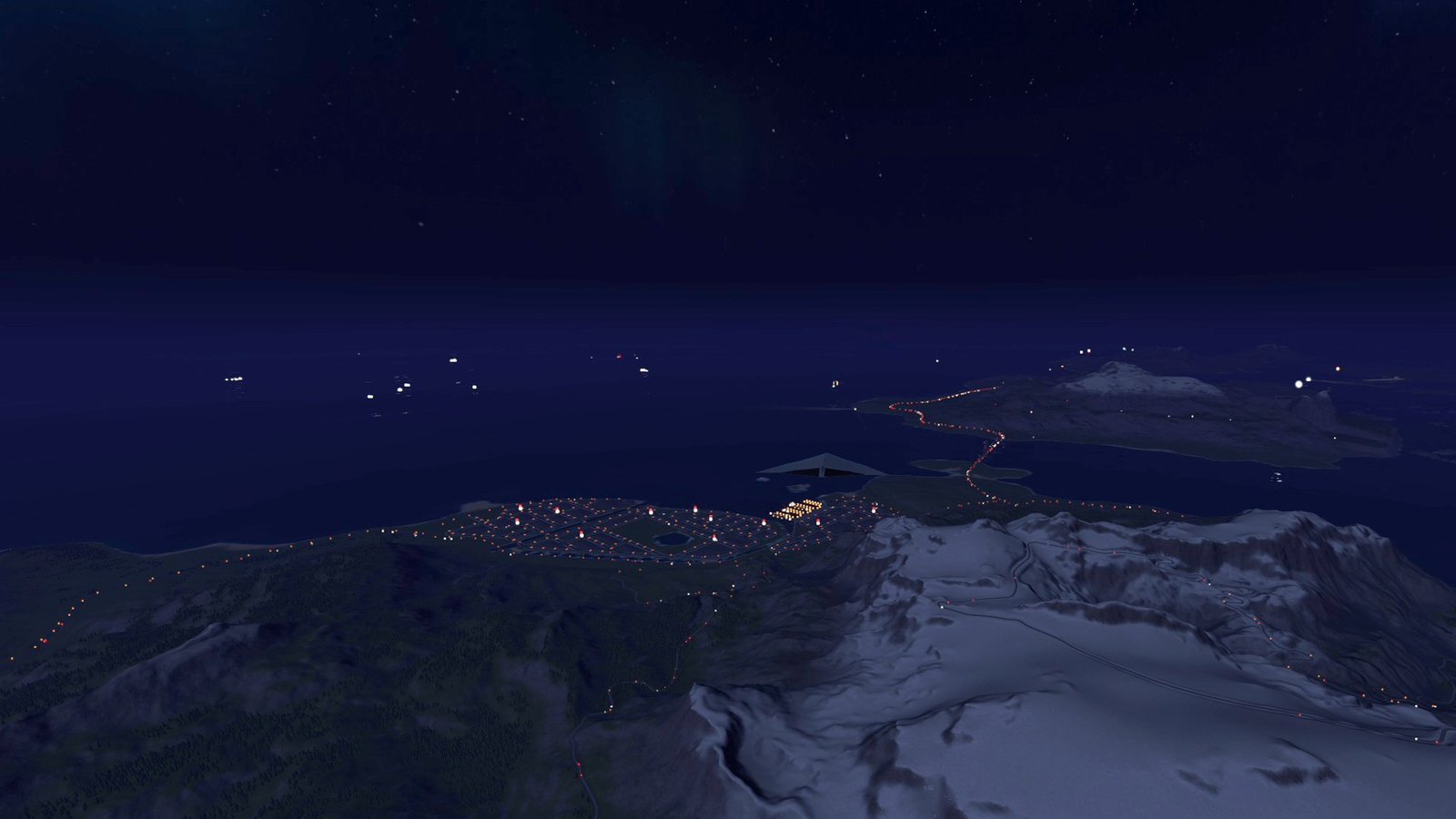
Distant traffic and street lights for SimplePlanes 2. Fly over the island after dark and the roads are full of moving headlights and tail lights: white pairs coming towards you, red pairs driving away, streams of them on the highways and a busy glow over New Yoke and the other towns. Lines of orange and white street lights trace the streets and motorways, with pools of light on the road under the lamps near you. By day the same traffic drives on as small cars, vans, trucks and buses, so the roads are busy from the air at any time. As in big open-world games, the far-away cars are simple stand-ins. The game's own cars still drive around you up close, and this traffic takes over beyond them. Landmark Lights light up big sites the game leaves dark at night, starting with the Bannock power plant. The game's freight trains run with their headlights on, also far away where the game hasn't spawned them. An optional True Night mode makes the nights themselves properly dark, so all these lights stand out.
 (open larger)
Features
Traffic
- Thousands of phantom cars on the game's own road network (the one SP2's cars drive on). Each car drives its lane at the road's speed limit and picks turns at junctions the same way the game's cars do, forever.
- At night, lights only. Each car has two white headlights at the front and two red tail lights at the back. Cars coming towards the camera show white lights, cars driving away show red, so each side of a highway has its own colour.
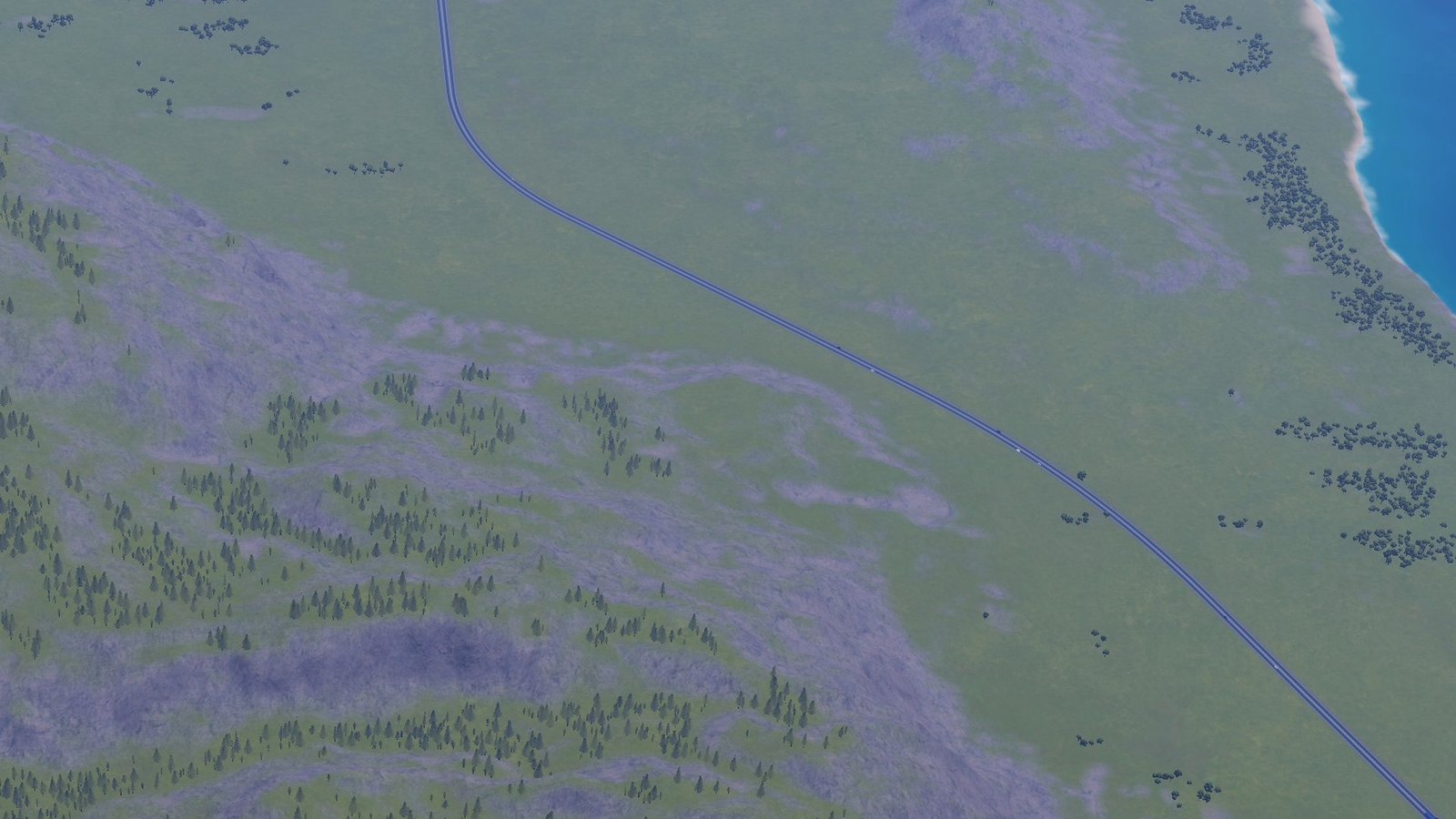
- By day, low-poly vehicles. The same cars are drawn as simple cars, vans, trucks and buses in a realistic mix of paint colours (lots of white, grey, silver and black, some blue and red), from just beyond the game's own cars out to 3.5 km. They take on the colour of the daylight and darken at dusk, when their lights come on. The nearest ones cast shadows.
- Visible from far away. Light dots stay a few pixels wide at any distance, so traffic still shows from high up or kilometres away. Lamps merge into one dot once they are too far apart to tell.
- Busier cities. Big city streets and highways get more cars, country roads fewer. Areas with many roads close together (city grids) are busier still.
- No doubling up with real cars. The lights and the vehicles fade out near you, where the game's real cars drive. That zone shrinks as you climb (the game doesn't spawn cars while you fly), so there is no empty hole below you at altitude.
Show the restHide the rest
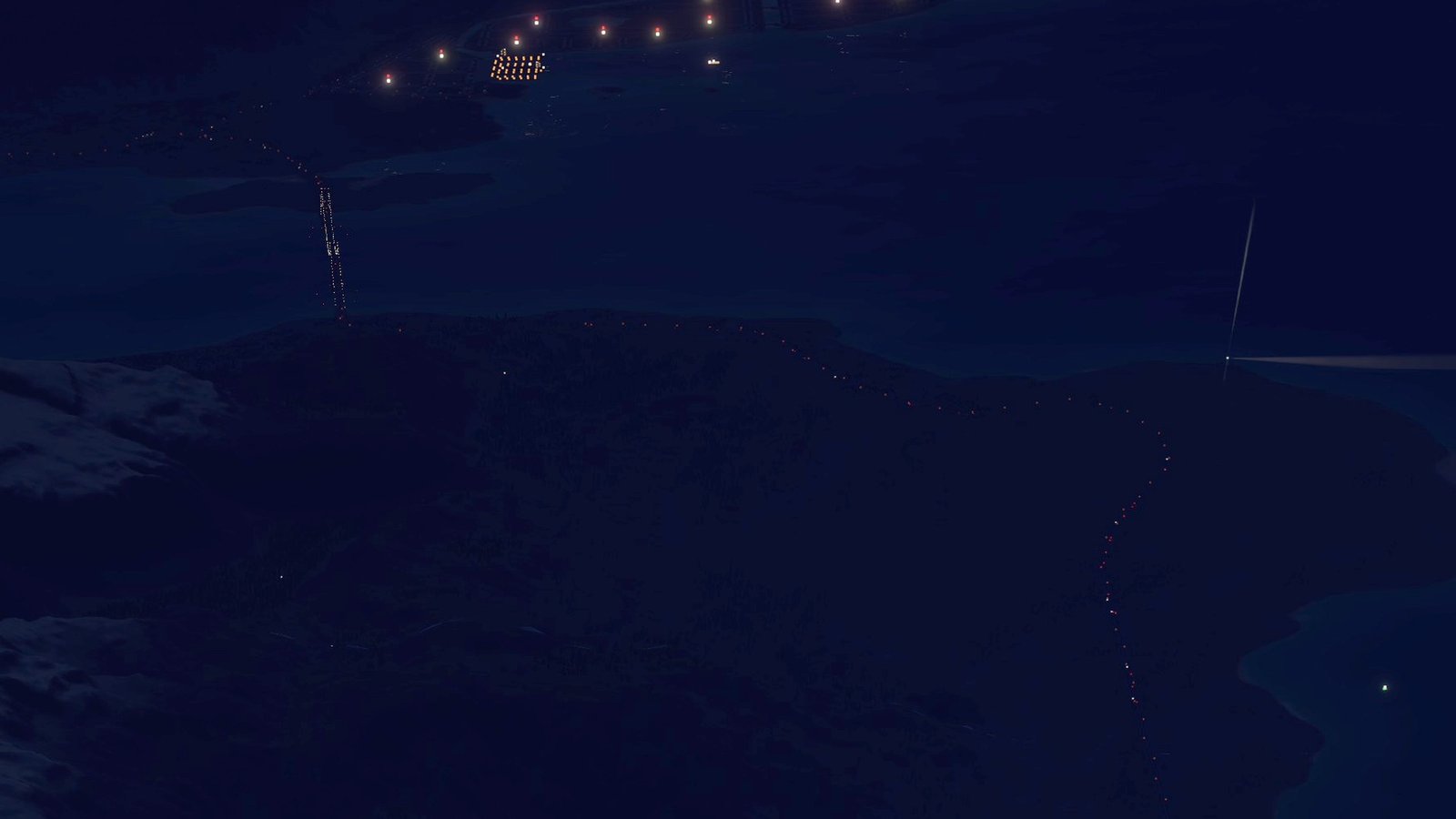
- Island roads too. Roads that other mods add, such as Maywar Island's roads from the Classic Islands, get the same traffic and street lights. They are quieter than the main island's roads. The game's own cars don't drive there, so the phantom cars don't fade out near you (day cars only within 40 m).
 (open larger)
 (open larger)
Street lights
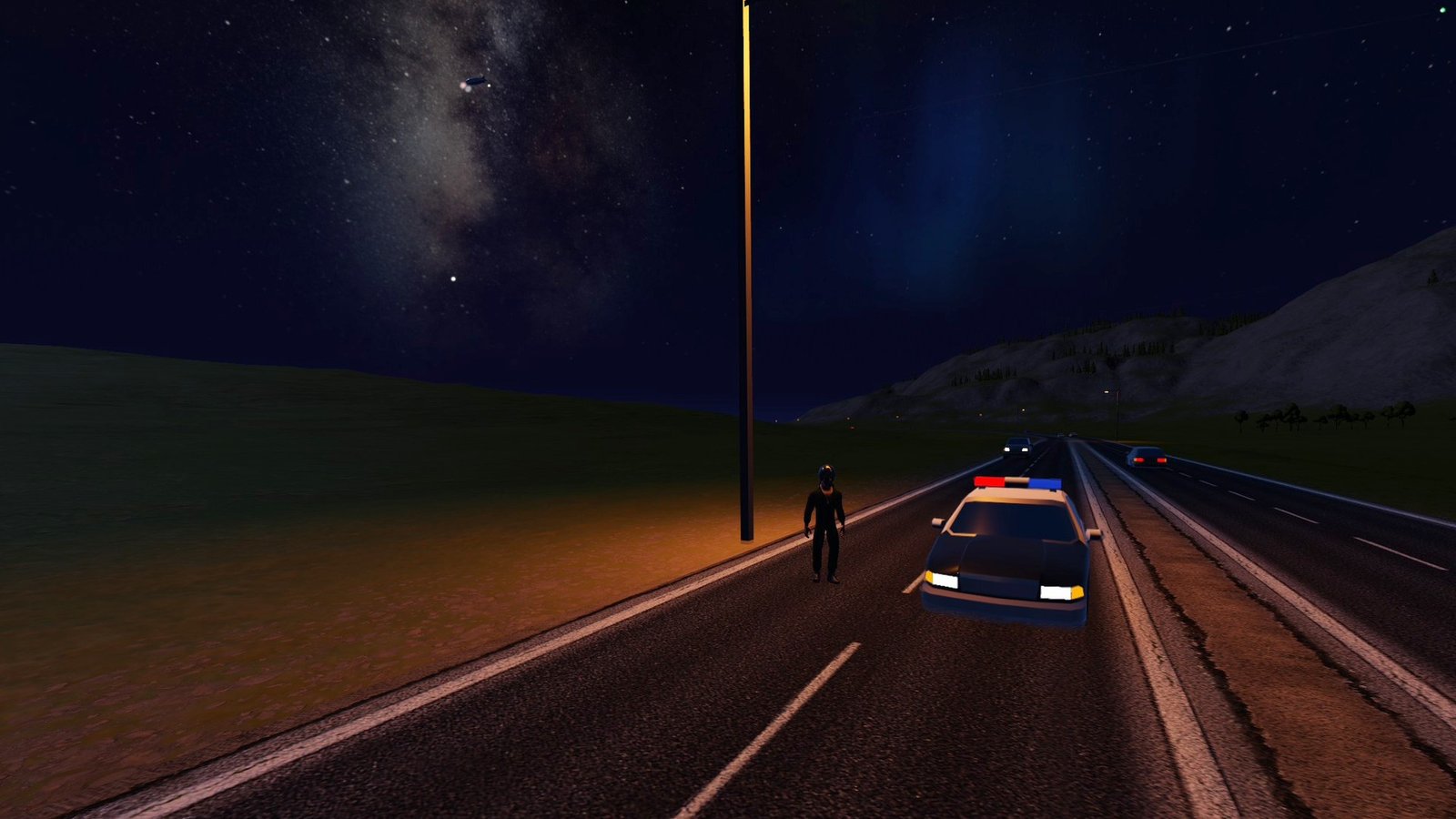
Placed along the roads, which have none in the base game. Poles stand at the road edge with their arm over the road, at a spacing that suits the road type:
Road type Poles Big city streets and bridges both sides, facing each other, every 34 m Motorways and motorway bridges alternating sides, every 40 m City streets alternating sides, every 40 m One-way streets one side, every 42 m Primary roads one side, every 45 m in town (65 m outside town with Country Roads on) Secondary roads one side, every 50 m in town (80 m outside town with Country Roads on) Dirt tracks, tunnels, rail, the racetrack none Poles are kept out of junctions and off other roads, never doubled where roads meet, and stay in the same spots every time you load. On island roads, "in town" means the built-up areas the island names (on Maywar: Egyptian City with the harbour, the airport and Mirage Speedway), and an island can mark its main roads as lit all along (on Maywar: Airport Road, Harbour Street and Pyramid Road), so only its country roads depend on Country Roads.
- Lines of lights from the air. At night every lamp is a warm glow dot (sodium orange or LED white), visible out to the same Max Distance as the car lights.
- Pole models near you, day and night: simple lamp posts within 600 m. Their lamps glow at night.
- Pools of light on the road under the lamps within 400 m at night, and a few real lights at the nearest lamps, which light up the road, the game's cars and your craft.
 (open larger)
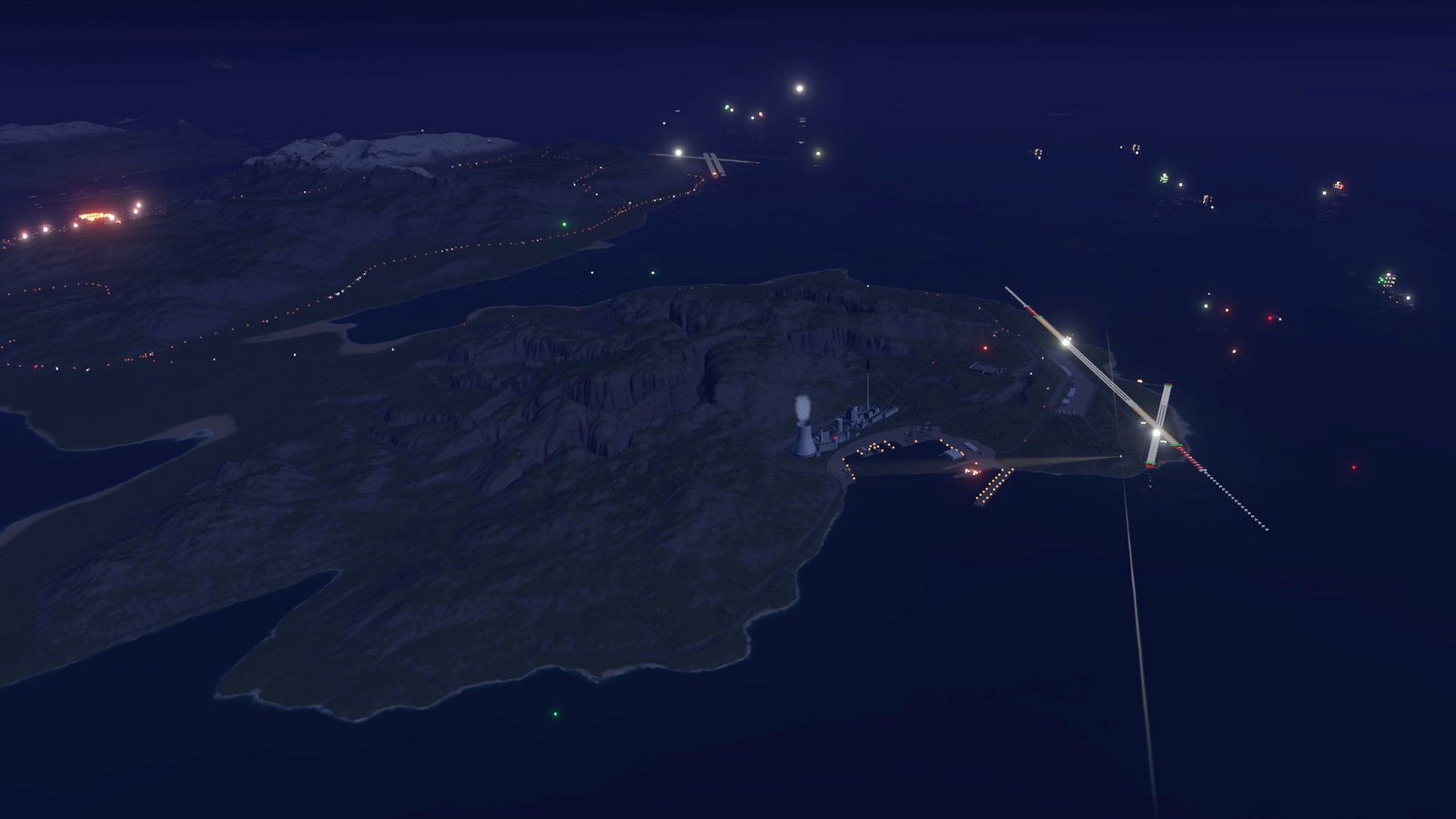
Landmark Lights
Big landmarks are dark at night in the base game. Landmark Lights lights them up, starting with the power plant at Bannock (west of Bannock Station, next to the Bannock Industrial naval yard):
- Red aviation obstruction lights around the rim of the cooling tower and on top of the stacks, with extra levels partway up the 280 m chimney, and on the roof corners of the tall buildings. Those on structures over 150 m flash (about 40 times a minute, all together); the rest are steady.
- Floodlights on poles along the edges of the paved ground (orange sodium, 12 m poles, every 40 m) and tall LED masts across the open yard, with pools of light on the ground and a few real lights at the ones nearest you.
- Floodlit cooling tower and reactor dome: a soft wash of light on the side facing you, and real spot lights shining up the tower when you are within about 2 km.
- Lit windows and door lamps on the buildings: a share of the windows warm or fluorescent, and a lamp over a door or two with a small pool of light.
Nothing is placed by hand: when the game loads the site, its parts are measured (their size, and rays against their own shapes) and sorted into round towers, stacks, domes, buildings and paved ground. Every light is chosen from the parts' names, so they are in the same places every time. The log lists each part found and what it got, with its coordinates (lines starting with Landmark Lights:). More landmarks can be added later with one line each.
 (open larger)
Trains
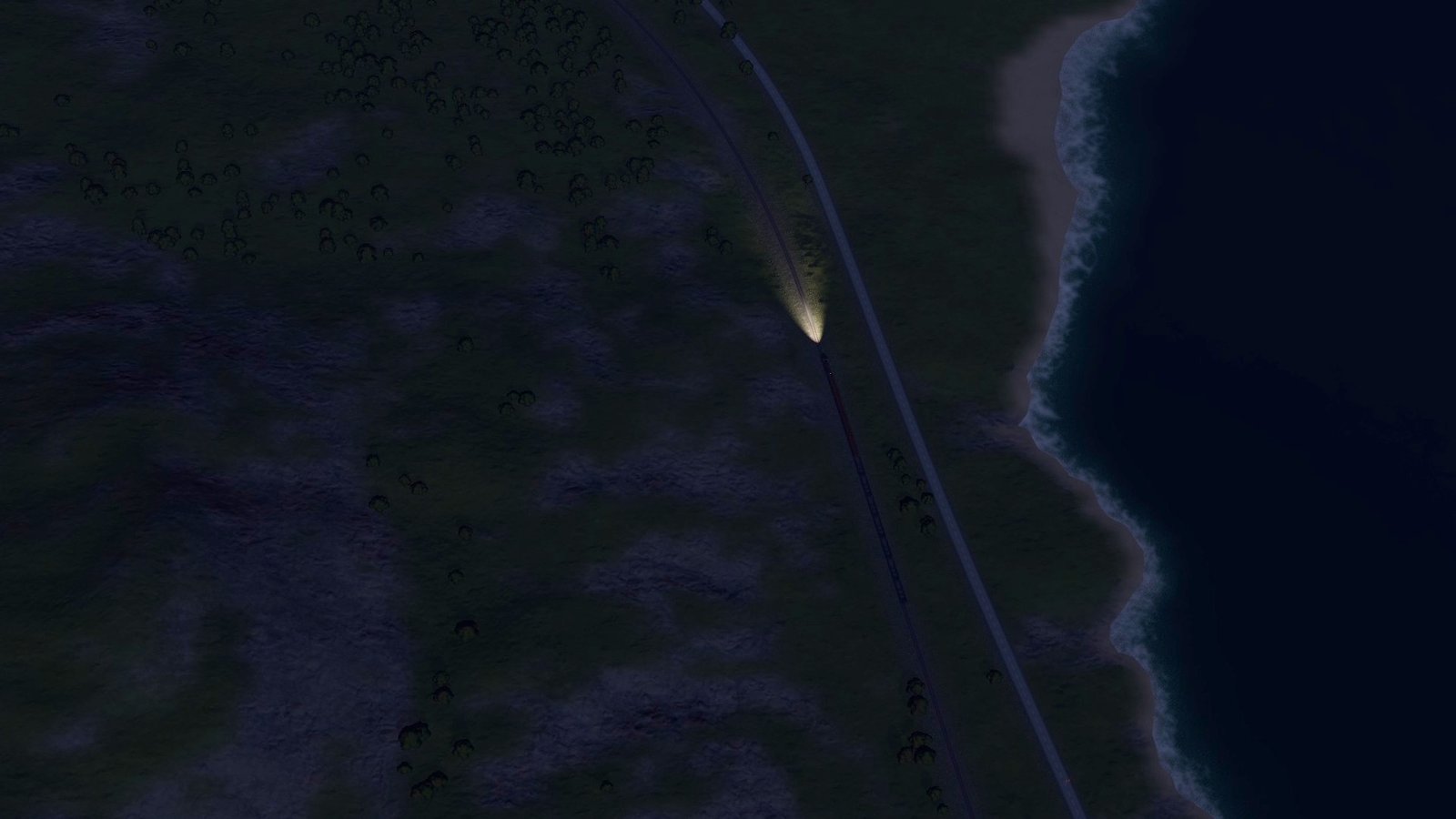
The game has freight trains (a diesel locomotive pulling box and hopper wagons) on the Bannock train track.
- Train lights at night. The locomotive gets a bright headlight and two ditch lights low on its nose, the last wagon a flashing red end-of-train light, and there is a pool of light on the track ahead. The nearest two trains also get a real spot light that lights up the track and whatever is on it. Only lights are added: the trains themselves (which are synced in multiplayer) are not touched.
- Phantom trains. The game only spawns a train near a player; the rest of the time it just keeps track of where each train would be. Phantom trains show those trains anyway: at night as their moving headlights and red tail light, by day as simple locomotive and wagon models (out to 8 km). When you get close, the real train appears at the same spot and takes over. Phantom trains are the game's own trains when you are the host (single player included). As a multiplayer client, or before the track has been loaded in this session, one to three stand-in trains run on the track instead, kept 2-3 km away from you and away from the real trains.
- The track's shape is read from the game the first time it loads and remembered (in
BepInEx/cache), so phantom trains are there from the start of every later session. The log lists the line found (Train lights: train line).
 (open larger)
True Night
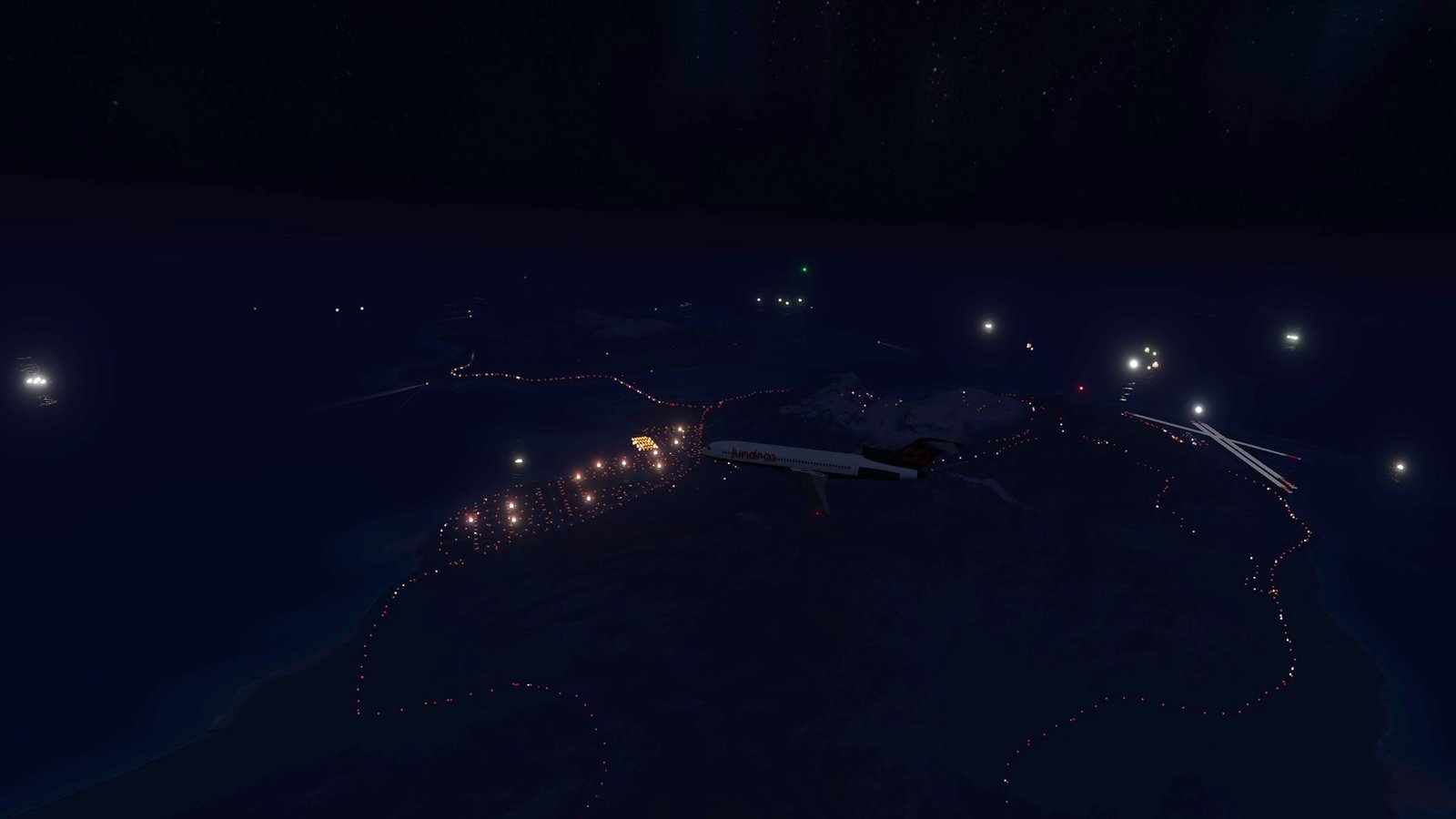
The game's nights are bright: a strong moon lights up the whole island, the sky stays grey-blue and the sea glows. True Night (off by default; switch it on in the True Night section) makes them properly dark, so the towns, roads, ships and aircraft lights stand out:
- Weaker moonlight (Moonlight setting). With Moon Phases on it also follows the moon's phase: full light at full moon, faint at a thin crescent.
- Much less ambient light (Darkness setting): the light that comes from all around and lights the terrain, the sea, buildings and craft. The sky reflections on the sea and on craft are dimmed by the same amount.
- A darker sky and clouds (Sky Darkness setting). The stars, the Milky Way and the moon itself keep their brightness, so they show up better.
- Minimum Ambient keeps a faint moonlit glow, so your own craft and the ground right around you aren't pitch black.
- Only while the sun is below the horizon. It fades in from sunset as the sun sinks (fully dark once it is 12 degrees down) and fades out the same way before sunrise. Daytime is never touched. The time of day and the game's own day/night switch (city lights, car headlights) are unchanged.
- Lights keep their brightness. City windows, street lights, car lights, airport lights, ship and aircraft lights and cockpit instruments glow by themselves, so they look brighter against the dark.
- Nothing in the game's sky settings is changed: the values the sky system computes each frame are scaled down as they are set. Switching True Night off gives back exactly the game's own night.
 (open larger)
General
- Day and night. Lights fade in at dusk and out at dawn, following the same day/night switch the game uses for its car and city lights (including dark, stormy weather).
- Clouds. The lights dim when you fly in or above a cloud deck, by how cloudy it is.
- Cheap. Car lights, lamp glows, light pools and vehicles are each drawn as one particle batch, and pole models as one static mesh per 300 m area. Nothing has colliders or physics. Cars far from the camera are moved only every eighth frame.
- Multiplayer-safe. Purely visual and local (see Multiplayer below).
Usage
Show usageHide usage
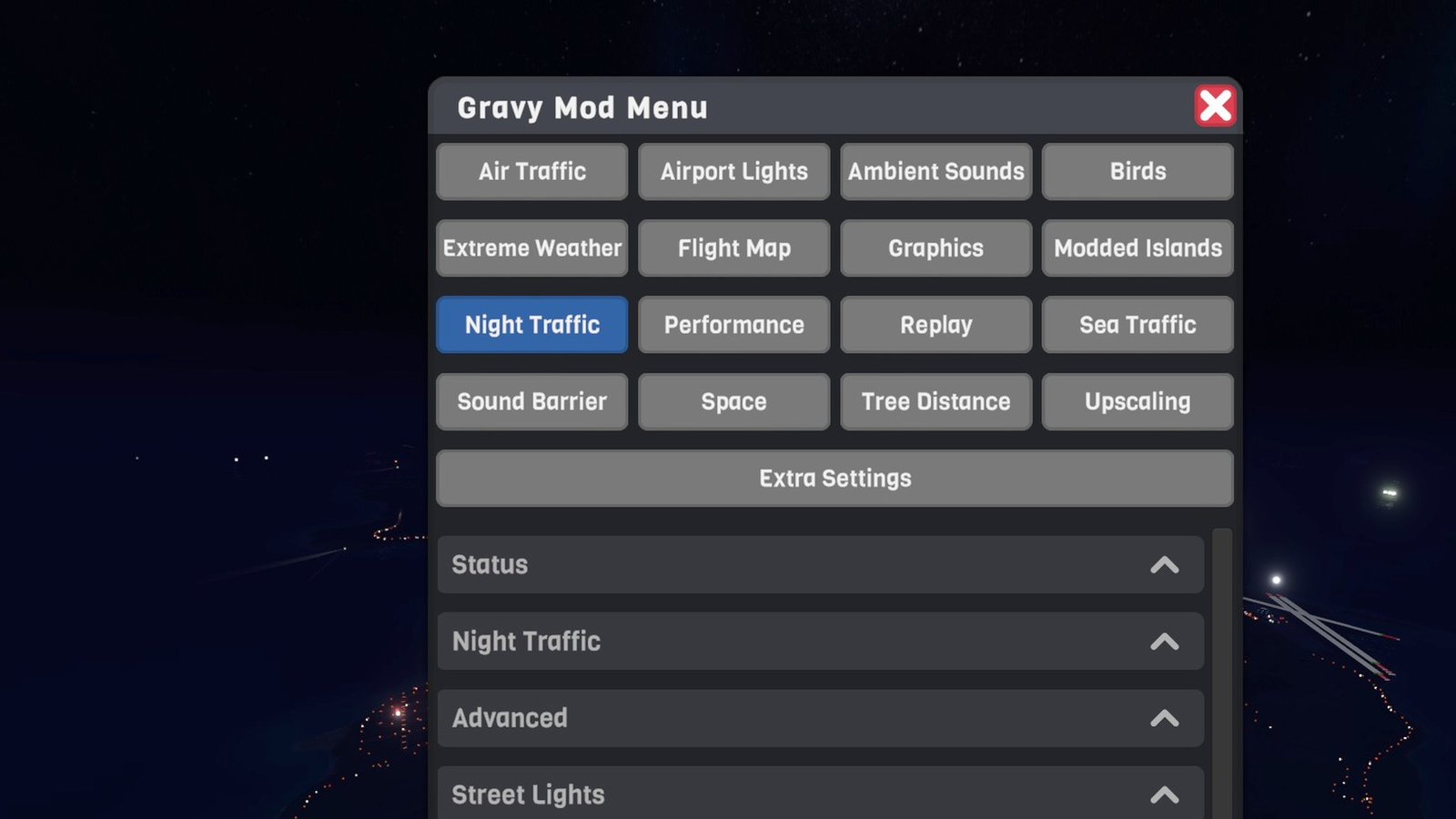
Settings live in the Gravy Mod Menu (Night Traffic tab) if that mod is installed. Without it, edit the .cfg file. The tab also shows:
- live status: the road network; how many cars are simulated, in range and drawn (lights and day cars); how many street lights were placed and how many lamps, pole models, pools and real lights are drawn; the same for island roads added by other mods; the cost per frame and the night level;
- Landmark Lights: each landmark, whether it is loaded, how many lights it has and how many are drawn, and how many tower spot lights are on;
- Trains: how many real and phantom trains there are and how many lights, models and headlight spot lights are drawn, and each train line known (its length, whether it was read this session or remembered, and whether it runs the game's trains or stand-ins);
- True Night: how dark it is right now (the moonlight, ambient, sky and reflection multipliers), the sun's height, how much of the moon is lit, and a note if Graphics Plus Eye Adaptation is on;
- Respawn Cars, Reload Road Network, Rebuild Street Lights and Rebuild Landmark Lights buttons.
To switch between day and night, use the game's time-of-day setting, or turn on Show In Daytime (Advanced) for a quick look at the night view.
 (open larger)
Multiplayer
Show multiplayerHide multiplayer
Experimental online. This mod runs in multiplayer, but it still has bugs there that aren't fixed yet. It works best in single player for now.
Local only. Everything is drawn on your own screen: nothing is spawned in the game world, nothing is sent to other players, and they don't need the mod. It works the same whether you host or join.
- Phantom cars, street lights, landmark lights and True Night are only on your screen. The game's own cars, trains and day/night switch (which the host shares) are left as they are; only lights are added to the trains.
- Phantom trains are the game's own trains when you host (single player included). As a client, stand-in trains run on the track instead, kept away from you and from the real trains.
Settings
Show all settingsHide settings
| Section | Setting | Default | Notes |
|---|---|---|---|
| Night Traffic | Enabled | true | Car lights at night |
| Night Traffic | Density | 6 cars/km | Per km of road in each direction on an average road; busy roads get more, quiet ones fewer (also the day cars) |
| Night Traffic | MaxDistanceKm | 15 km | Car lights and street lights are drawn up to this distance (fading out over the last 20%) |
| Night Traffic | NearFadeKm | 1.5 km | Closer than this the game's real cars take over; shrinks with height, gone at about 800 m up; 0 = everywhere |
| Night Traffic | LightSize | 4 px | Size of a light dot on screen (street lights are a little bigger) |
| Night Traffic | Brightness | 2 | Car lights; above 1 they also bloom (when the game's bloom is on) |
| Street Lights | Enabled | true | |
| Street Lights | Spacing | 1x | Multiplies the pole spacing of every road type |
| Street Lights | Colour | Mixed | Sodium (orange), LED (white) or Mixed (per road: motorways mostly sodium, big city streets mostly LED) |
| Street Lights | Brightness | 1.5 | Lamps, pools of light and real lights; above 1 the lamps also bloom |
| Street Lights | PolesDistance | 600 m | Pole models are drawn up to this distance, day and night; 0 = lights only |
| Street Lights | LightPools | true | Pools of light on the road under nearby lamps |
| Street Lights | PoolsDistance | 400 m | |
| Street Lights | RealLights | 4 | Real point lights at the nearest lamps; 0 = none. The mod keeps to 8 real lights in all: near the power plant or a train, the street lights get fewer |
| Street Lights | CountryRoads | false | Also light primary and secondary roads outside towns (sparser) |
| Day Cars | Enabled | true | Low-poly vehicles in daytime and at dusk |
| Day Cars | DayCarDistanceKm | 3.5 km | Vehicles are drawn up to this distance (they shrink away over the last 15%) |
| Day Cars | NearFade | 175 m | Closer than this the game's real cars take over; gone at about 300 m up; 0 = everywhere |
| Day Cars | Shadows | true | The nearest 64 vehicles within 250 m cast shadows, and so do lamp poles within 250 m |
| Landmark Lights | Enabled | true | Night lighting for landmarks (the Bannock power plant) |
| Landmark Lights | Brightness | 1.5 | Landmark lights, their pools of light and the tower floodlights; above 1 they also bloom |
| Landmark Lights | ObstructionLights | Night | Red obstruction lights on tall structures: Off, Night, or Always (by day too) |
| Trains | TrainLights | true | Headlight, ditch lights, flashing red tail light and light on the track for the game's trains at night |
| Trains | PhantomTrains | true | Show the trains where the game hasn't spawned them: lights at night, simple models by day |
| Trains | Brightness | 2 | Train lights; above 1 they also bloom |
| True Night | Enabled | false | Make nights properly dark |
| True Night | Darkness | 70% | Ambient light and sky reflections taken away at full night |
| True Night | Moonlight | 30% | Moon's direct light at full night, as a share of the game's |
| True Night | MoonPhases | true | Moonlight follows the moon's phase (15% of it at new moon) |
| True Night | SkyDarkness | 60% | How much darker the night sky and clouds get (stars and moon unchanged) |
| True Night | MinimumAmbient | 0.01 | Ambient light never goes below this faint moonlit blue; 0 = no minimum |
| Advanced | MaxCars | 8000 | Limit for the whole road network (island roads have their own, same limit) |
| Advanced | BusierCities | true | More cars where roads are dense, fewer on lone country roads |
| Advanced | ShowInDaytime | false | Debug: treat daytime as night |
| Advanced | DetailedLog | false | Log every measured part of the lit landmarks (each time they load) |
Known limitations
Show known limitationsHide known limitations
- Only roads in the game's road network get traffic and street lights, plus roads that other mods list in the shared road registry (Maywar's roads in the Classic Islands do). The other classic islands have no roads, so they stay dark and empty.
- On island roads the phantom cars turn at junctions and turn around at dead ends; there are no traffic lights.
- The cars don't stop at traffic lights, queue or avoid each other, and they can overlap now and then. From a distance this doesn't show.
- Up close (Near Fade Distance set to 0, or flying low with the camera far from your craft), the phantom cars are not attached to the game's real cars and can overlap them.
- Day vehicles are simple shapes with baked shading, not the game's car models. They look right from a few hundred metres up but are plain boxes up close. They don't show the sun's direction, only its colour and strength.
- Street lights follow the road data, not the road meshes. Where the two differ, or around unusual junctions, a pole can end up on a pavement corner or near a building. Poles have no colliders: you can fly or drive through them.
- Tunnels get no street lights.
- Landmark Lights only covers the Bannock power plant for now. Its lights are worked out from the buildings' shapes, so on an unusual shape a window or a pole can end up slightly off. Parts the game hides behind hills are measured once they come into view, so a few lights can appear a moment after the site does. The floodlight poles have no colliders, and the landmark pole models use the Street Lights Poles Distance, Light Pools and Real Lights settings.
- The lights are drawn on top of the sky, so they are dimmed above a cloud deck as a whole rather than hidden behind individual clouds. Thick fog doesn't hide them either.
- Hills and buildings do hide them, but a light just behind a ridge can peek over it from far away.
- The game's trains are freight trains only, so there are no lit passenger windows. Phantom train models are simple shapes (one locomotive and one wagon type) and don't match the real train's wagons exactly. Stand-in trains (as a multiplayer client or before the track has loaded) don't match where the real trains are.
- The train lights and the light pools use the Street Lights Light Pools and Real Lights settings (Real Lights 0 turns the train headlight spot lights off too).
- True Night and Graphics Plus Eye Adaptation: eye adaptation brightens dark scenes, which undoes part of True Night. Leave Eye Adaptation off (its default) for dark nights; the status shows a note when it is on.
- True Night and the Space mod: above Space's start altitude its night sky replaces the sky, so the sky there is the game's normal night sky and the ambient light Space freezes on the way up stays as it was.
- True Night darkens the light the sky system provides. Anything lit some other way (for example a craft's own lights or the street lights' real lights) is unchanged, which is the point, but a scene with no lights at all can get very dark at high Darkness settings. Raise Minimum Ambient if you lose sight of your craft.
Requirements
Show requirementsHide requirements
- SimplePlanes 2 0.7.9
- BepInEx 5 (5.4.x, x64 Mono build) installed in the game folder. On Linux/Steam Deck with Proton, add
WINEDLLOVERRIDES="winhttp=n,b" %command%to the game's launch options.
The Gravy Mod Menu is recommended: most mods keep their in-game settings and status there. Without it, edit the .cfg files in BepInEx/config/.