Extreme Weather
Snow, blizzards, tornadoes, hurricanes and tsunamis on demand.
- Version
- Version 0.5.0
- Works with
- SimplePlanes 2 0.7.9
- Updated
- Category
- Weather & sky
- Online
- Host onlyExperimental: still has bugs in multiplayer
- Needs
- BepInEx 5. The Gravy Mod Menu is recommended.
- Credits
- Sounds and sources
What it does
Snowstorms, blizzards, tornadoes, hurricanes and tsunamis for SimplePlanes 2. You trigger every event yourself from the Gravy Mod Menu. Snow, blizzards, tornadoes and hurricanes stay on until you stop them. A tsunami is a single giant wave that rolls in from the sea, passes you and dies out.
On top of that, Weather Life adds small touches to whatever weather is showing: rain on your craft's glass (also when you fly through a cloud), lightning in distant storm clouds, and banks of morning fog pooling in the valleys. Weather sounds add the howl of a blizzard, the roar of a tornado or hurricane, thunder rolling in after each lightning flash, and rain pattering on the glass.
Features
- Snow
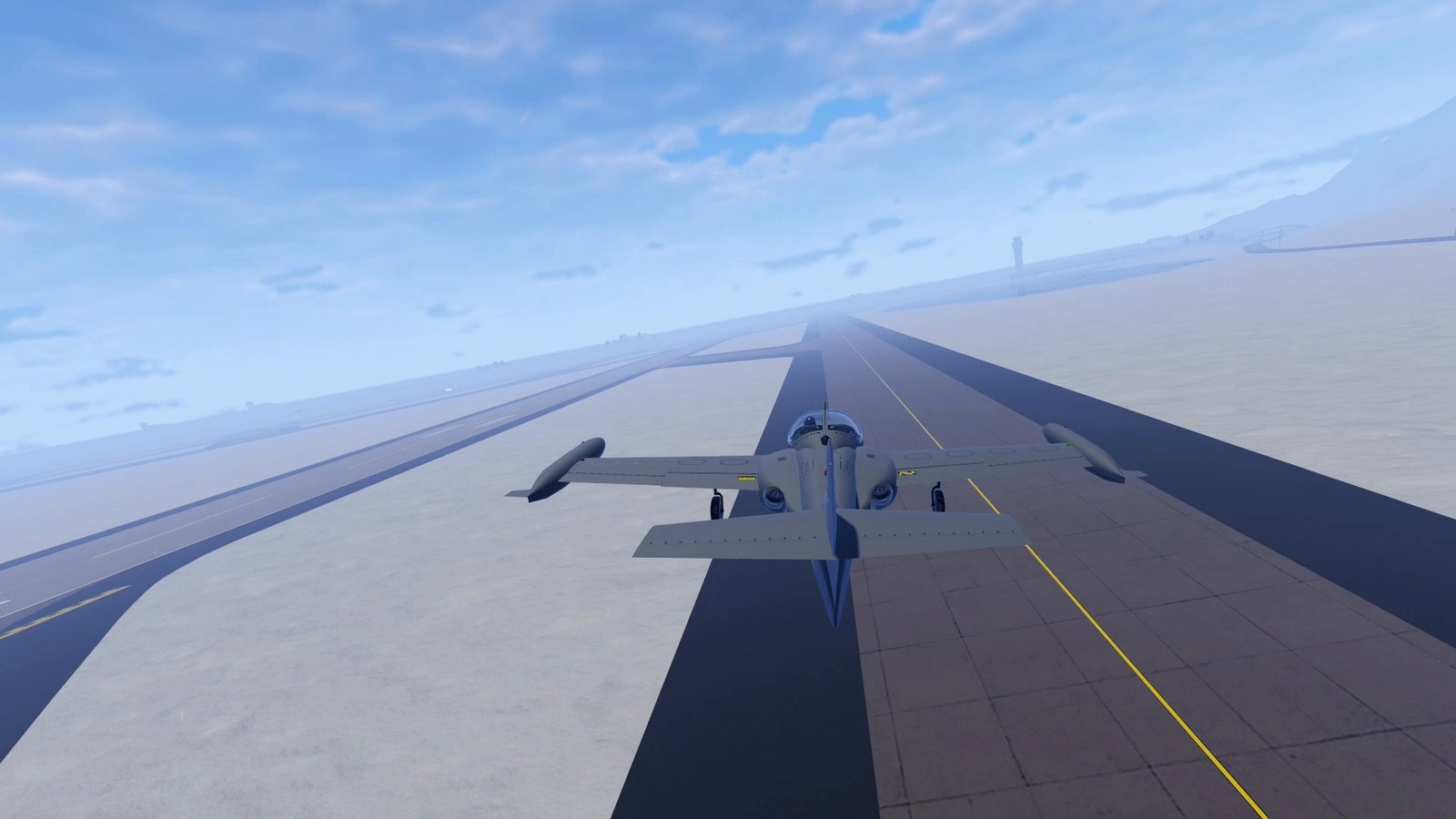
- The snow line creeps down from the mountain tops to the beaches over a few minutes. The game's own terrain snow is used, so it costs almost nothing.
- Dense snowfall around the camera: small flakes close by and larger ones further out, falling and fluttering with the wind, and streaking past at speed.
- The sky turns overcast and visibility drops (fog) while it snows.
- When you stop the snow, it melts back up the mountains.
- Blizzard
- A strong, gusty wind (18 m/s by default) drives very dense snow sideways past you. The flakes streak with the wind and the gusts, and big drifts of blown snow sweep through the air. Near the ground it turns into a whiteout; higher up you can see further, and above the cloud base the snow stops.
- The gusts sweep downwind over you like real ones and swing the wind's direction a little. Your wings, propellers and parachutes all feel them, and turbulence is switched on.
- The sky turns cold and overcast, the light goes a little blue-grey, and snow builds up on the ground (twice as fast as normal snowfall).
- Your wheels lose some grip (70% of normal by default), so you slide around a bit when braking, turning or landing in a crosswind. Landing, braking and driving are still possible. Only your own craft's wheels are affected; their grip comes back as soon as the blizzard eases off or ends, when you leave the flight, or when the mod is turned off.
- It builds up over about 25 seconds and eases off over about 20 seconds when you stop it. The snow on the ground then melts like normal snow.
- Tornado
- Touches down a few km ahead of you, preferring land, and wanders slowly across the countryside.
- A narrow, violent core of rotating wind with a strong updraft. Wind and inflow reach out to about 1.5 km.
- Your wings, propellers and parachutes all feel it, so flying through it throws a plane around. Parked crafts can be lifted off the ground.
- Your craft takes small, repeated damage inside the core.
- Visuals:
- a dense, dark grey condensation funnel that narrows to the ground and visibly spirals;
- a wide, slowly rotating storm base with a lowered wall cloud above the funnel;
- a debris cloud at ground contact, with dust and small debris flung outward and up.
- The sky turns dark and stormy, and the light dims as you get close.
Show the restHide the rest
- Hurricane
- A rotating storm tens of km across that forms over open water and drifts across your area.
- The strongest sustained winds are in the eye wall. The eye is calm and nearly clear. Rain bands and gusts surround it.
- Heavy storm clouds, rain, big waves and reduced visibility everywhere except the eye, all following your distance from the centre. Turbulence is switched on. (With other players connected, see Multiplayer below.)
- Visible structure, made of soft, ragged cloud billboards on top of the game's own storm clouds:
- four spiral rain bands of dark low cloud with patchy rain shafts hanging down to the sea;
- near the eye, a towering eye wall that leans outward with height, around a calm, clearer eye.
- Tsunami
- One wave, 60 m high by default (up to 200 m), starts far offshore and runs towards you and the coast. It comes from the open-sea side of you, or from a compass direction you pick.
- The wave is part of the ocean surface, so boats and seaplanes ride up it. Where it is higher than the land, the water floods over it. (With other players connected it is a visual wave only; see Multiplayer below.)
- The wave carries your craft along while you are under its surface.
- After it has passed you, it fades away and is removed completely.
- Everything stops, and your own weather settings come back, when you leave the flight or press Stop All.
- Weather Life (always on, no button needed; each part can be switched off)
- Rain on the glass: when it rains (the game's Rainy weather or stormier, from any source), drops land on your craft's glass: canopies, windows and glass fuselage pieces.
- The drops sit on the glass itself, so you see them from the cockpit and as a wet canopy from the chase camera. Canopy frames and painted parts stay dry, and an open cockpit has nothing to get wet.
- The drops are drawn to look like water:
- each drop has a dark rim and a bright crescent where it focuses light;
- seen from the cockpit, a drop is a tiny lens: the sky colour shows in its lower part and the ground colour in its upper part, and it shows more sky when you look up through it. Seen from outside, it is a small convex mirror: sky above, the dark cabin below;
- the colours come from the scene's own sky, ground and fog light, so the drops darken at dusk and turn grey in a cloud;
- the sun glints in the drops. From outside, a drop sparkles where it reflects the sun; from the cockpit, drops light up when you look towards the sun through them. There are no glints at night, and few under overcast;
- shapes vary: small round beads, lumpy blobs where drops have merged, and teardrop runners with a tapering tail;
- from the chase camera, drops smaller than a pixel are drawn a little bigger but fainter, so a wet canopy sparkles instead of turning into blobs.
- The drops cling: small ones stay where they landed, even in normal flight, and at most creep a little. Drops that land on each other merge, and once a drop is big enough it runs, slowly:
- parked or slow: big drops trickle down the glass at a few centimetres per second and meander;
- in flight: the airflow pushes the big drops up the windscreen and over the canopy, taking several seconds to cross it (faster, but still easy to follow, at high speed). Drops where the air meets the glass head-on barely move.
- A running drop leaves a wet trail that stays where it ran and fades over a few seconds (longer in rain or a cloud, shorter at speed), with a line of tiny beads along it.
- Drops follow the curve of the glass from one panel to the next. Running drops collect the drops in their path, and resting drops that grow into each other merge into one bigger drop.
- The glass facing the rain (and the way you fly) gets the most drops. The more rain and the faster you meet it, the more drops hit. Fine spray beads cover the glass at high speed.
- Drop Grip sets how hard the drops cling (higher = they stay longer and run slower) and Drop Size how big they look.
- When the rain stops, or you fly above the cloud base or under a roof, the drops dry up (faster at speed). Glass under water is washed clean.
- A craft without glass gets no drops.
- Cloud moisture: flying through a cloud wets the glass even when it doesn't rain.
- Inside a cloud the glass gets the same drops as rain, as if it were raining as hard as the cloud is wet: they land, merge, run back over the canopy with the airflow and leave trails exactly like raindrops. Rain and cloud together make one combined wetness.
- After the cloud the drops dry up like after rain: within a few seconds at speed, more slowly when slow or parked.
- The mod reads the game's live cloud layer (base, top, coverage and density). Broken clouds wet the glass in patches; overcast and storm clouds wet it all the way through the layer. Storm clouds are the wettest.
- Cloud Moisture Amount sets how much water a cloud leaves on the glass.
- Optional: a few subtle drops on the camera lens in outside camera views (off by default).
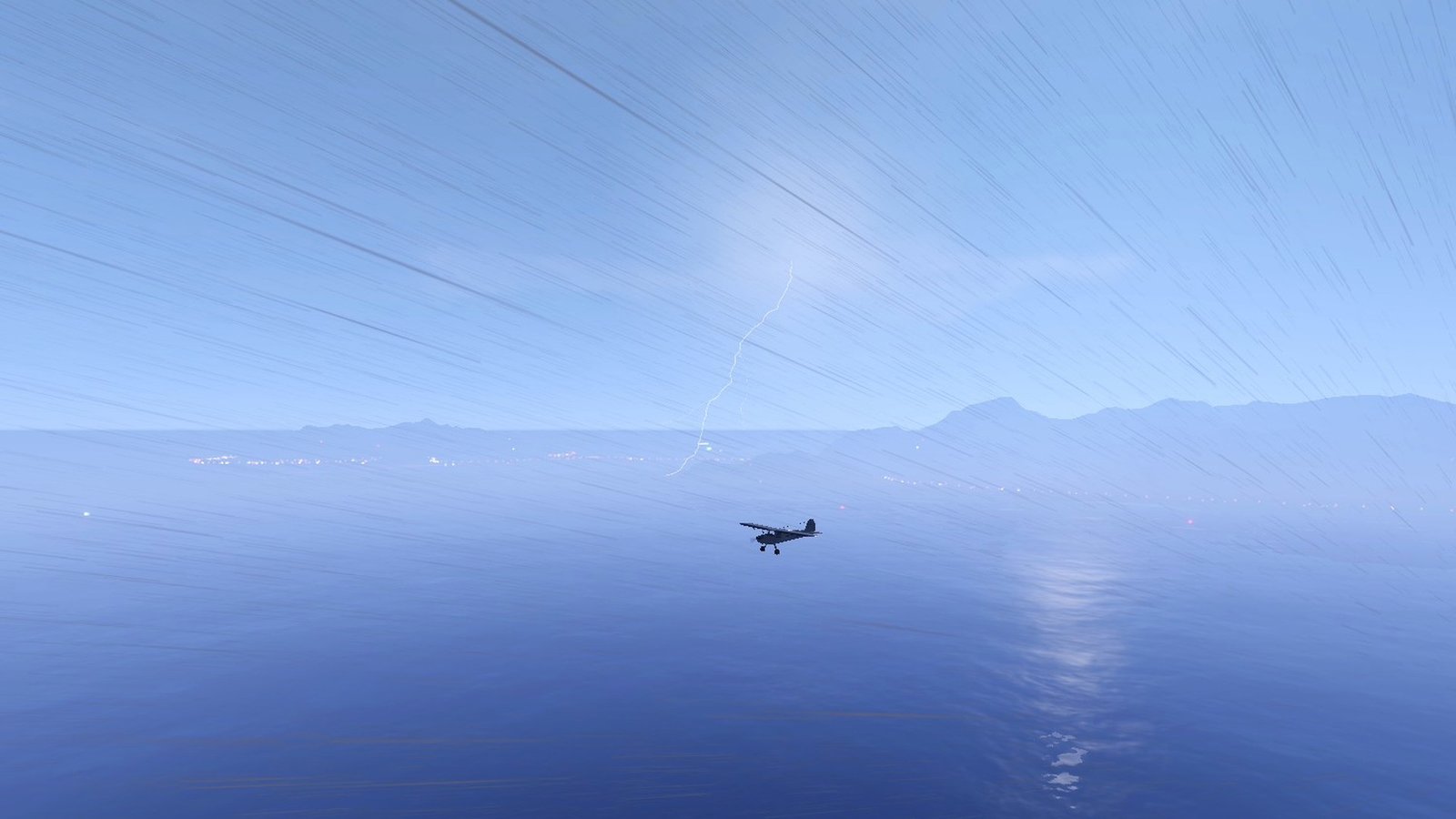
- Distant lightning: flashes inside storm clouds, brightest at night and weaker by day.
- Each flash flickers in two to four quick pulses.
- Closer strikes sometimes show a jagged, branching bolt to the ground.
- Strikes within a few km briefly light up the whole scene.
- Sources:
- Rainy to Heavy Storm weather: flashes all around you, from 2.5 to 28 km away.
- Overcast weather: now and then a far-off storm flickers on the horizon at night.
- An active tornado or hurricane: flashes in its clouds.
- Each flash is followed by thunder (see Weather sounds below).
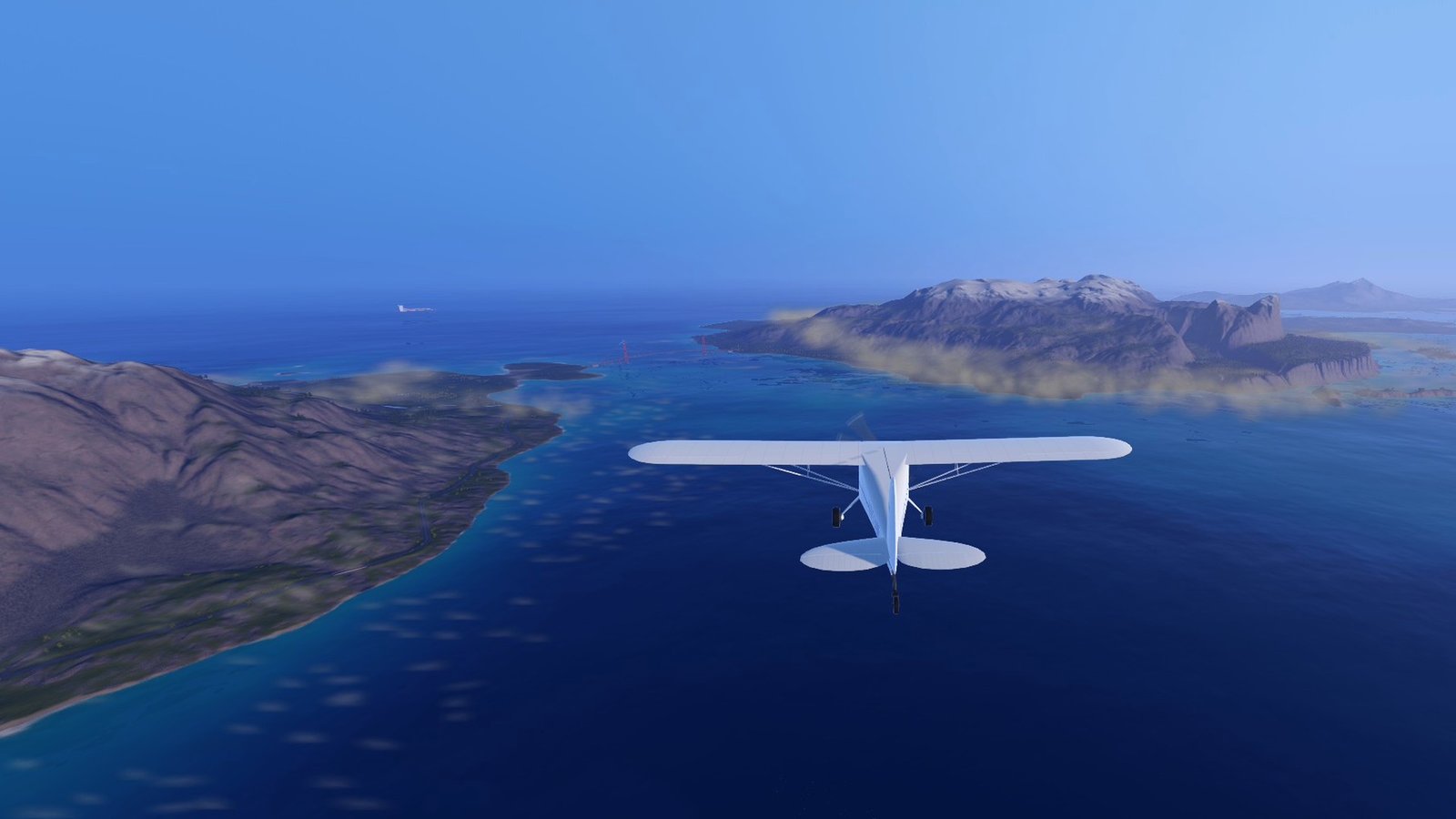
- Morning fog: on most mornings, from about 2½ hours before sunrise to 2 hours after it, fog pools in the low ground around you. The game's overall fog and visibility are left alone.
- The mod reads the terrain up to 18 km around you and finds the valley floors, basins, river corridors, broad lowlands near the coast, and sheltered bays and inlets.
- Fog fills each one like water: up to a level top just below the valley's rim, so hills and ridges stand out of it. A big valley can fill 60–150 m deep. Valleys that open out, plains and bays get a shallower bank a few km across that thins out towards its edge.
- Neighbouring banks join into larger fields of fog, and fog steps up river valleys from one bank to the next.
- Each bank is a soft mass of fog that blends into the slopes. From above it looks like white cotton lying in the valleys; it drifts slowly, and the sunrise lights it warm.
- Inside a bank you can only see a few hundred metres, and the air around you turns hazy until you climb out.
- Fog Amount sets how much of the low ground fills:
- Light: only the deeper valleys and sheltered inlets;
- Normal: most valleys, river corridors, bays and coastal lowlands;
- Heavy: nearly all low ground, deeper and with fewer clear patches.
- A few patches stay clear each morning. Each morning is the same wherever you fly: whether it is foggy, which patches stay clear and how deep the fog is.
- As the sun climbs, the fog sinks back towards the valley floors and fades away.
- Rain or storms keep the fog away.
- Rain on the glass: when it rains (the game's Rainy weather or stormier, from any source), drops land on your craft's glass: canopies, windows and glass fuselage pieces.
- Weather Life is purely visual and local: every player with the mod sees it for themselves, clients included.
- Weather sounds (local audio only, each player hears their own)
- Blizzard: a howling wind while a blizzard blows, rising and falling with it, louder outside and at speed.
- Tornado: a roar when you are close to the funnel, fading to a dull rumble from its direction as you move away (gone beyond about 9 km).
- Hurricane: follows the storm's wind where you are: strongest in the eye wall, weaker out in the rain bands, and only a distant roar inside the calm eye.
- Thunder: after every lightning flash, delayed by its distance at the speed of sound (about 3 seconds per km). A close strike gives a sharp crack; far ones are softer, duller rolling rumbles. Thunder is heard up to 30 km away and comes from the strike's direction.
- Rain on the glass: a gentle patter while rain lands on the glass you are looking through in a cockpit view, louder in heavier rain. In a cloud without rain it becomes a soft, quiet hiss at speed. It is quiet by default; Rain On Glass Volume turns it up or down.
- In a closed cockpit the outside sounds are quieter and muffled. Everything fades out and pauses with the game, and is silent in menus, the designer and under water.
 (open larger)
 (open larger)
 (open larger)
Usage
Show usageHide usage
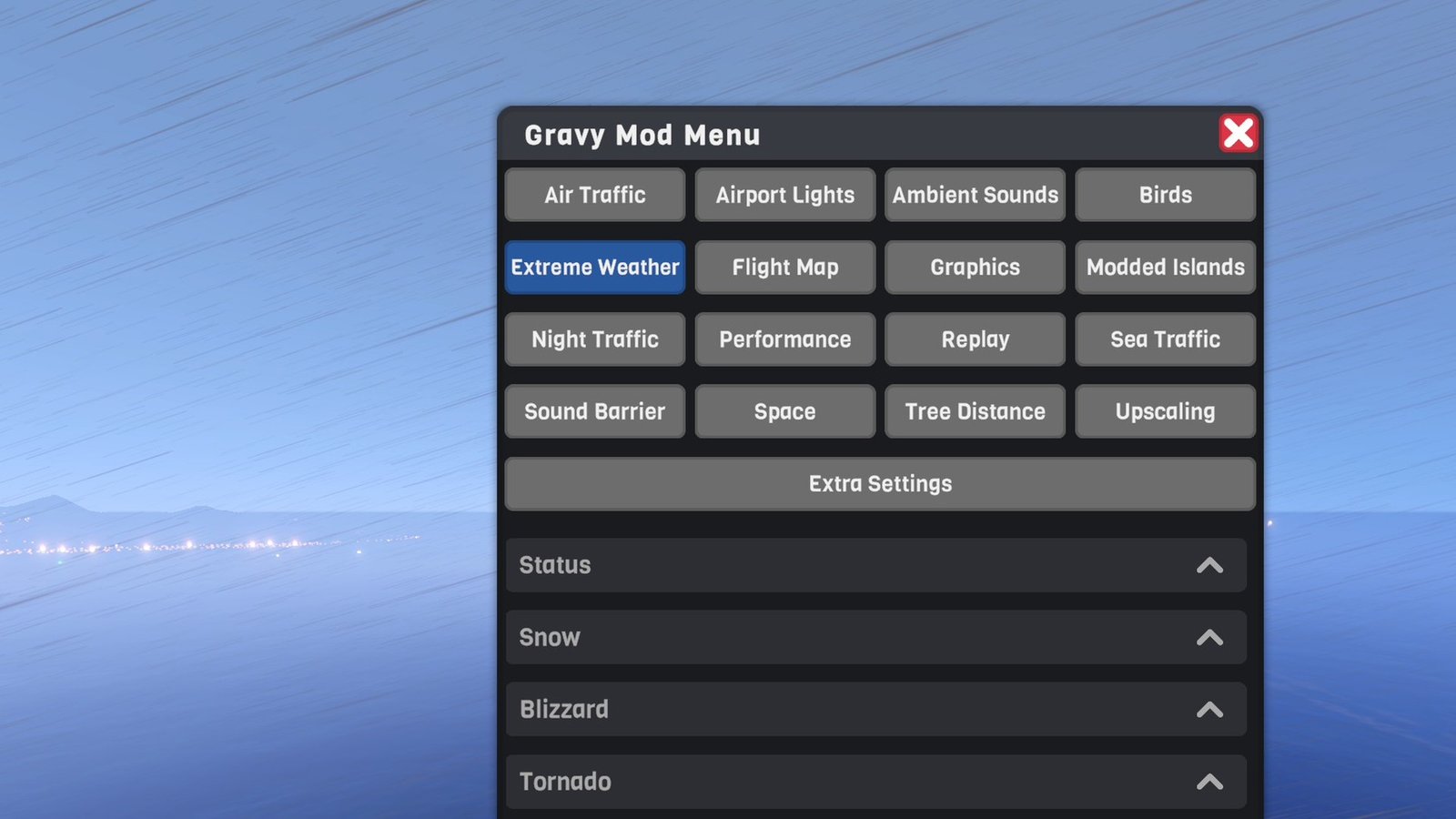
Open the Gravy Mod Menu and go to the Extreme Weather tab. It has:
- buttons: Start Snow, Stop Snow, Send Tsunami, Start Tornado, Stop Tornado, Stop Tsunami, Start Hurricane, Stop Hurricane, Stop All, Start Blizzard, Stop Blizzard, and Lightning Flash (a test strike a few km ahead of you, for any player; its thunder follows after a few seconds);
- live status:
- the wind at your position;
- each active event's distance and direction from you, the tsunami's arrival time, and which part of the hurricane you are in;
- the blizzard's wind and your wheels' grip;
- Weather Life: rain on the glass (drops and glass parts), whether your craft is in a cloud (moisture and cloud cover), current lightning activity and the last flash, and whether this morning is foggy (with the number of fog banks, the area they cover and the nearest one);
- the weather sounds playing, and when the next thunder arrives;
- every setting below.
Without the Gravy Mod Menu the mod has no buttons; only the .cfg settings exist.
 (open larger)
Multiplayer
Show multiplayerHide multiplayer
Experimental online. This mod runs in multiplayer, but it still has bugs there that aren't fixed yet. It works best in single player for now.
Host only. Only single player or the host can start events; other players don't need the mod.
- As a client the tab shows that the host controls the weather, and the event buttons do nothing (Lightning Flash still works, since it only shows locally). While the game is still connecting, the buttons count as "not the host".
- The game sends the host's weather and turbulence to every player, wherever they are on the map. So while other people are connected to your game:
- the events leave the shared weather and turbulence alone, and anything they had already changed goes back at once when someone joins. You still get the funnel, eye wall, rain bands, snow, wave, storm light and storm winds yourself (and a blizzard's snow, wind and slippery wheels);
- to let the events change everyone's weather and turbulence too, turn on Share Weather With Players (Multiplayer section, off by default). A hurricane then gives everyone a steady storm instead of weather that follows your distance from the eye;
- the tsunami is a visual wave only: it doesn't lift boats, seaplanes or floating objects, so the boats and AI your game simulates don't rise and fall on other players' screens with no wave in sight. Your own craft is still carried and lifted by it.
- What other players see: never the funnels, waves, snowfall or storm clouds (they're drawn only for you), and only the storm sky if you share the weather. Players with the mod see their own Weather Life (rain on the glass, lightning, morning fog) following the shared weather, and hear thunder and rain on the glass; the blizzard, tornado and hurricane sounds only play for the host.
- Storm winds only reach crafts your game simulates: yours and AI crafts you host. Other players' crafts are never touched, but they can see your craft (and AI you host) thrown about by a wind they can't see.
- AI crafts don't count as players. In single player, or hosting with nobody connected, everything works in full.
Settings
Show all settingsHide settings
| Section | Setting | Default | Notes |
|---|---|---|---|
| Snow | Amount | 1.0 | How white the ground gets |
| Snow | LowestAltitude | 0 m | How low the snow reaches (0 = beaches) |
| Snow | BuildUpMinutes / MeltMinutes | 8 / 4 min | Time to snow down to the lowest altitude / to melt |
| Snow | Flurries | true | Falling snowflakes |
| Snow | SnowflakeCount | 12000 | Snowflake cap (1000–40000) |
| Snow | Fog | 0.4 | Visibility loss while snowing (1 = the game's heavy fog) |
| Snow | OvercastWhileSnowing | true | Overcast sky while snowing |
| Blizzard | Intensity | 1.0 | How hard it blows snow: density, whiteout and the wind's sound (0.2–1) |
| Blizzard | Traction | 0.7 | Grip left on your own wheels (0.4–1; 1 = normal). 0.6–0.75 slides a bit but stays drivable |
| Blizzard | WindSpeed | 18 m/s | Mean wind (5–35); gusts swing about 0.55–1.45 × this |
| Blizzard | SnowflakeCount | 30000 | Blowing snowflake cap (5000–60000) |
| Blizzard | Whiteout | 0.9 | Visibility loss near the ground (1 = the game's heavy fog); less higher up |
| Tornado | WindSpeed | 85 m/s | Peak wind at the core edge (20–140) |
| Tornado | CoreRadius | 200 m | Violent core radius |
| Tornado | ReachKm | 1.5 km | Where its winds die out |
| Tornado | TravelSpeed | 12 m/s | Ground speed |
| Tornado | SpawnDistanceKm | 3 km | Touchdown distance ahead of you |
| Tornado | Damage | true | Damage to your craft inside the core |
| Tornado | StormyWeather | true | Dark heavy-storm sky while active |
| Tornado | DimStormLight | true | Dimmer grey light near the tornado |
| Hurricane | WindSpeed | 55 m/s | Peak sustained wind in the eye wall (20–90) |
| Hurricane | RadiusKm / EyeRadiusKm | 60 / 6 km | Storm size / calm eye size |
| Hurricane | SpawnDistanceKm | 30 km | Where the centre forms (over water) |
| Hurricane | TravelSpeed | 10 m/s | Drift speed |
| Hurricane | StormWeather | true | Rain and storm weather by distance from the eye |
| Hurricane | StormClouds | true | Eye wall and spiral rain band visuals |
| Tsunami | Height | 60 m | Wave height (5–200); taller waves are also wider |
| Tsunami | From | Auto | Direction it comes from: Auto (open sea), N, NE, E, SE, S, SW, W, NW |
| Tsunami | Speed | 80 m/s | Travel speed |
| Tsunami | StartDistanceKm | 20 km | How far offshore it starts |
| Tsunami | CrestLengthKm | 30 km | Side-to-side length of the wave |
| Tsunami | CarryCraft | true | The wave carries your craft along |
| Weather Life | RainOnWindshield | true | Raindrops on your craft's glass (canopy, windows), inside and outside views |
| Weather Life | RainOnCameraLens | false | Subtle raindrops on the lens in outside camera views |
| Weather Life | RaindropAmount | 1.0 | How many drops hit the glass (0.25–2) |
| Weather Life | DropGrip | 1.0 | How hard drops cling to the glass (0.25–3); higher = they stay longer and run slower |
| Weather Life | DropSize | 1.0 | How big the drops on the glass look (0.5–2) |
| Weather Life | CloudMoisture | true | Flying through a cloud wets the glass (and the camera lens, if that is on). Needs RainOnWindshield |
| Weather Life | CloudMoistureAmount | 1.0 | How much water a cloud leaves on the glass (0.25–2) |
| Weather Life | DistantLightning | true | Lightning in storm clouds (thunder: see Sounds) |
| Weather Life | FlashesPerMinute | 6 | Flashes per minute in a full storm (1–30) |
| Weather Life | MorningFog | true | Fog pooling in valleys, basins, river corridors, lowlands and bays around sunrise |
| Weather Life | MorningFogStrength | 0.7 | How dense and deep the fog banks are (0.1–1) |
| Weather Life | MorningFogAmount | Normal | How much of the low ground fills with fog: Light, Normal or Heavy |
| Weather Life | FoggyMorningChance | 0.75 | Chance that a morning is foggy (rolled at dawn). A value set under its pre-release name MorningFogChance is moved here once |
| Sounds | WeatherSounds | true | Blizzard, tornado and hurricane wind, thunder, rain on the glass |
| Sounds | Volume | 1.0 | Overall weather sound volume (0–1.5) |
| Sounds | Thunder | true | Thunder after each lightning flash |
| Sounds | RainOnGlassVolume | 1.0 | Rain (and cloud mist hiss) on the glass in cockpit view (0–2); 1.0 is already well below the recording |
| Multiplayer | ShareWeatherWithPlayers | false | While other players are connected, let the events change everyone's weather and turbulence |
Known limitations
Show known limitationsHide known limitations
- Snow only covers the terrain. Buildings, trees, runways and crafts stay snow-free.
- Very distant terrain may keep its normal snow line, because it is drawn with a simplified material.
- Crest only draws the wave within its detailed water area (several km around the camera). Farther away the sea looks flat until the wave comes closer.
- If the game's water is off or Crest's wave shader isn't loaded, the tsunami falls back to a plain moving wave mesh. The BepInEx log says which mode is used. The fallback has no real water, so boats don't float on it; your craft is pushed and lifted instead.
- A tornado's funnel and a hurricane's bands are effects layered over the game's volumetric clouds and can look odd where the two overlap. Parts of a hurricane beyond the camera's view distance are not drawn.
- Storm winds and visuals are not synced to other players. With other players connected they also don't get the storm sky unless you share the weather (see Multiplayer above).
- Rain on the glass: the drops have no real refraction; they are drawn to look like water. Glass is recognised by the game's transparent part material, so modded parts with their own glass shaders get no drops. There are at most 1400 drops at a time; on crafts with a lot of glass, cockpit views put most new drops on the glass near you. If a glass mesh can't be read, it stays dry (the BepInEx log names it).
- Cloud moisture: the game draws its clouds entirely on the graphics card, and their exact shapes can't be read back. Cloud cover, density and the layer's base and top are the game's live values, but in broken cloud the patches the mod wets are its own. They have the right size and amount, but they won't line up exactly with the puffs you see: sometimes you get a little wet in clear air between two puffs, or stay dry in a small puff. With Low cloud quality (no volumetric clouds) there is nothing to fly through, so the glass stays dry.
- Lightning flashes are glows drawn over the clouds, not light inside them. A very distant flash is drawn closer along the same line of sight (keeping its size on screen), so in rare cases it can show in front of a far hill.
- Sunrise is taken as 6:00 until the mod has seen the sun rise during a flight, so with unusual time settings the fog window can be a little early or late.
- Morning fog: valleys are found on a 150 m grid, so gullies narrower than that stay clear. Only terrain the game has loaded counts, so fog appears in new valleys a moment after you fly towards them (they fade in), and banks more than about 16 km away fade out. Far banks are drawn with fewer, larger puffs; within about 6 km they gain detail (a soft cross-fade). At most 7000 puffs are drawn: on Heavy over very foggy country the farthest banks can go without. Fog under a cloud deck is hidden while you fly above the clouds. The banks are soft puffs, not true volumes: they can look a little lumpy at the edges, and when seen from the side while banking hard the top may tilt slightly. Where fog steps up a valley, neighbouring banks can have tops a few metres apart.
- Buildings and cars are not swept away.
- Blizzard: the snow is particles around the camera, so it doesn't pile up on crafts or buildings. In cockpit views flakes fade out within about 2 m of the camera so none show inside the cockpit; if the game's build lacks the particle shader's camera-fade variant, a few flakes may drift through the canopy. The reduced grip applies to the game's wheels and the older resizable wheels; wheels from other mods may keep their grip.
- Weather sounds: the blizzard, tornado and hurricane loops are a few seconds long and repeat. Thunder is one of nine recorded claps and rumbles, chosen by distance. The sounds bypass the game's sound-effect volume (only the master volume applies); use Volume in the Sounds section.
Requirements
Show requirementsHide requirements
- SimplePlanes 2 0.7.9
- BepInEx 5 (5.4.x, x64 Mono build) installed in the game folder. On Linux/Steam Deck with Proton, add
WINEDLLOVERRIDES="winhttp=n,b" %command%to the game's launch options. - The Gravy Mod Menu for the buttons and live status.
The Gravy Mod Menu is recommended: most mods keep their in-game settings and status there. Without it, edit the .cfg files in BepInEx/config/.