Air Traffic
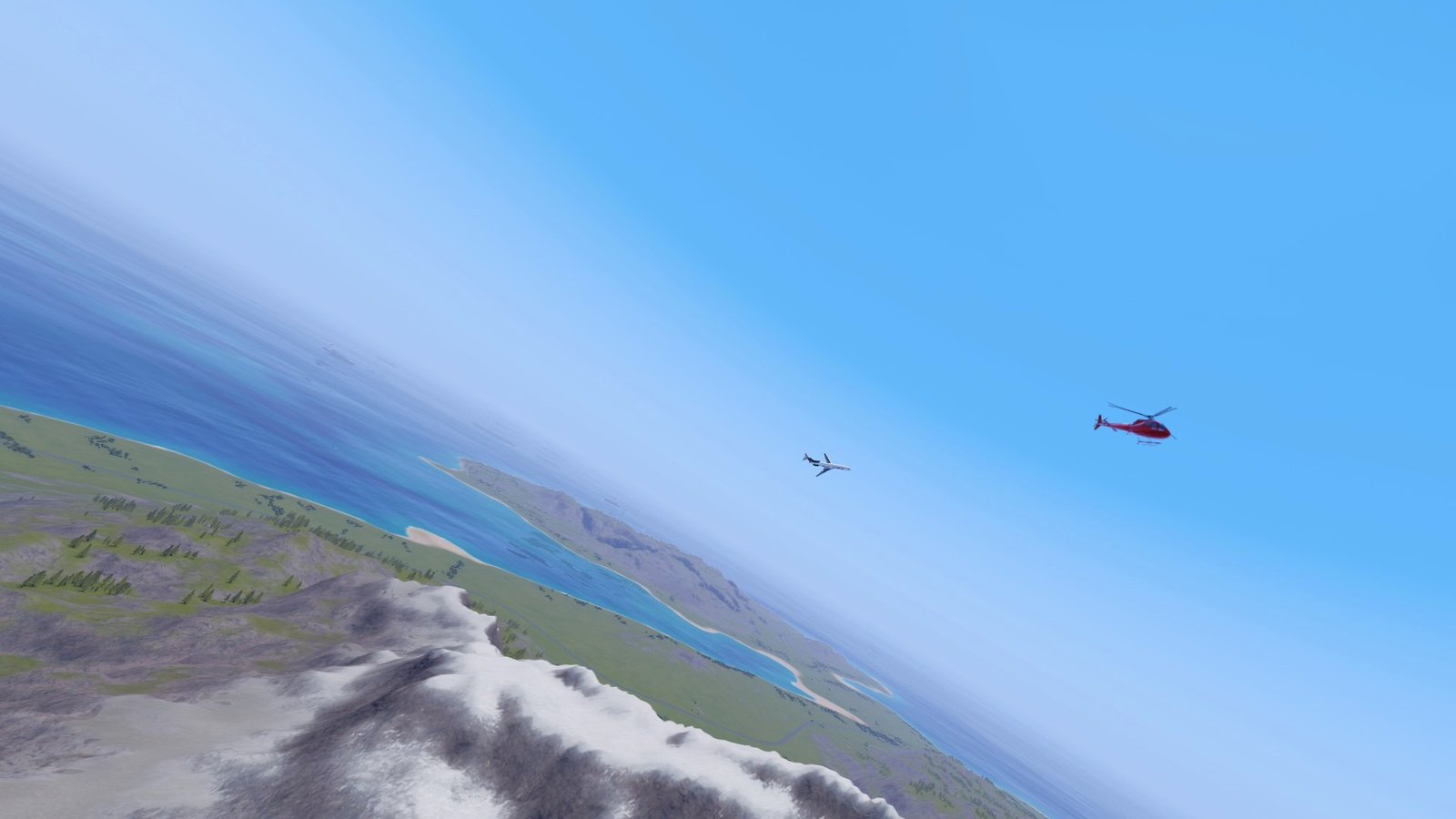
Airliners, business jets, light aircraft and helicopters flying between real runways.
- Version
- Version 0.8.0
- Works with
- SimplePlanes 2 0.7.9
- Updated
- Category
- Traffic
- Online
- Local onlyExperimental: still has bugs in multiplayer
- Needs
- BepInEx 5. The Gravy Mod Menu is recommended.
- Credits
- Sounds and sources
What it does
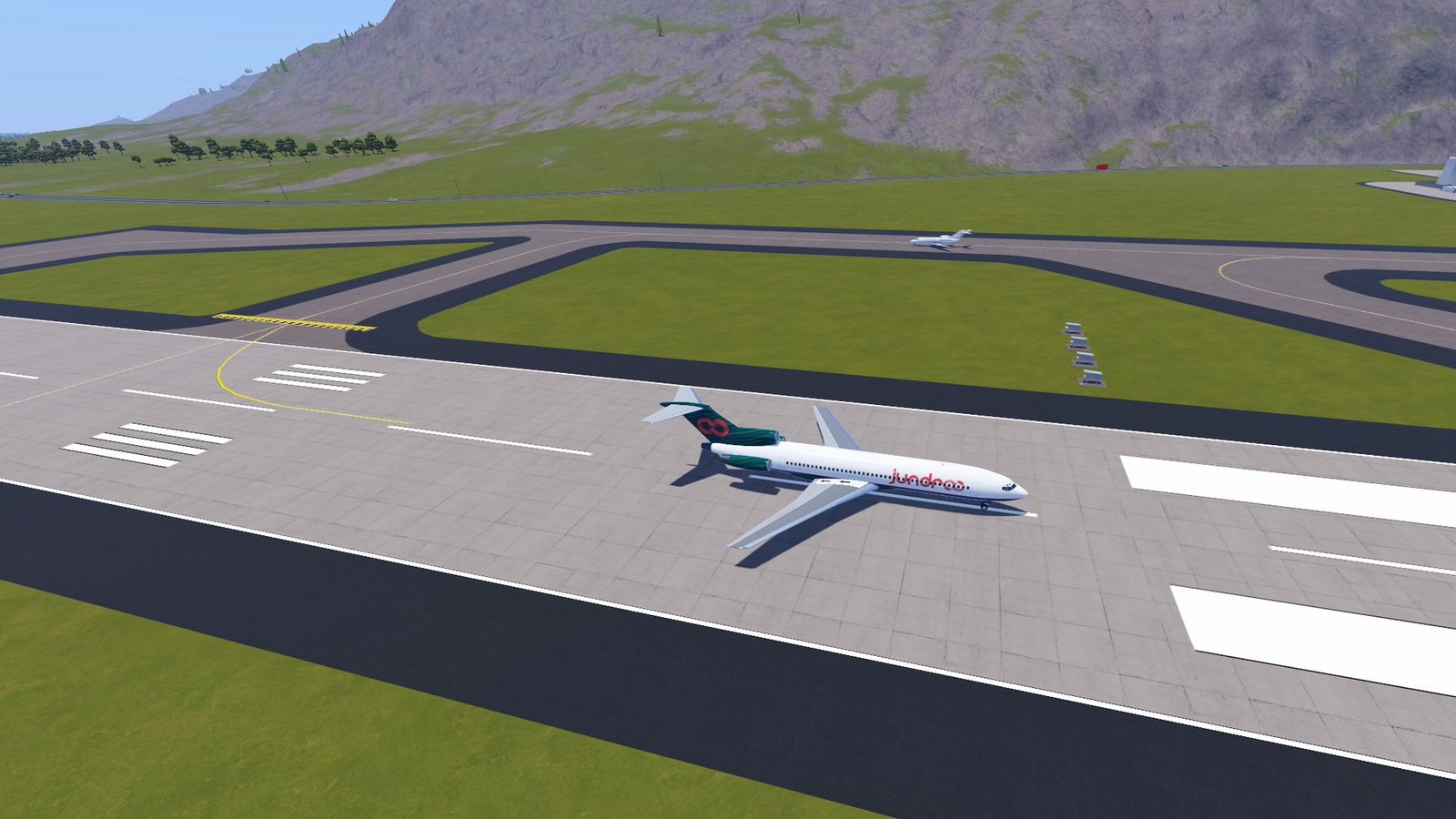
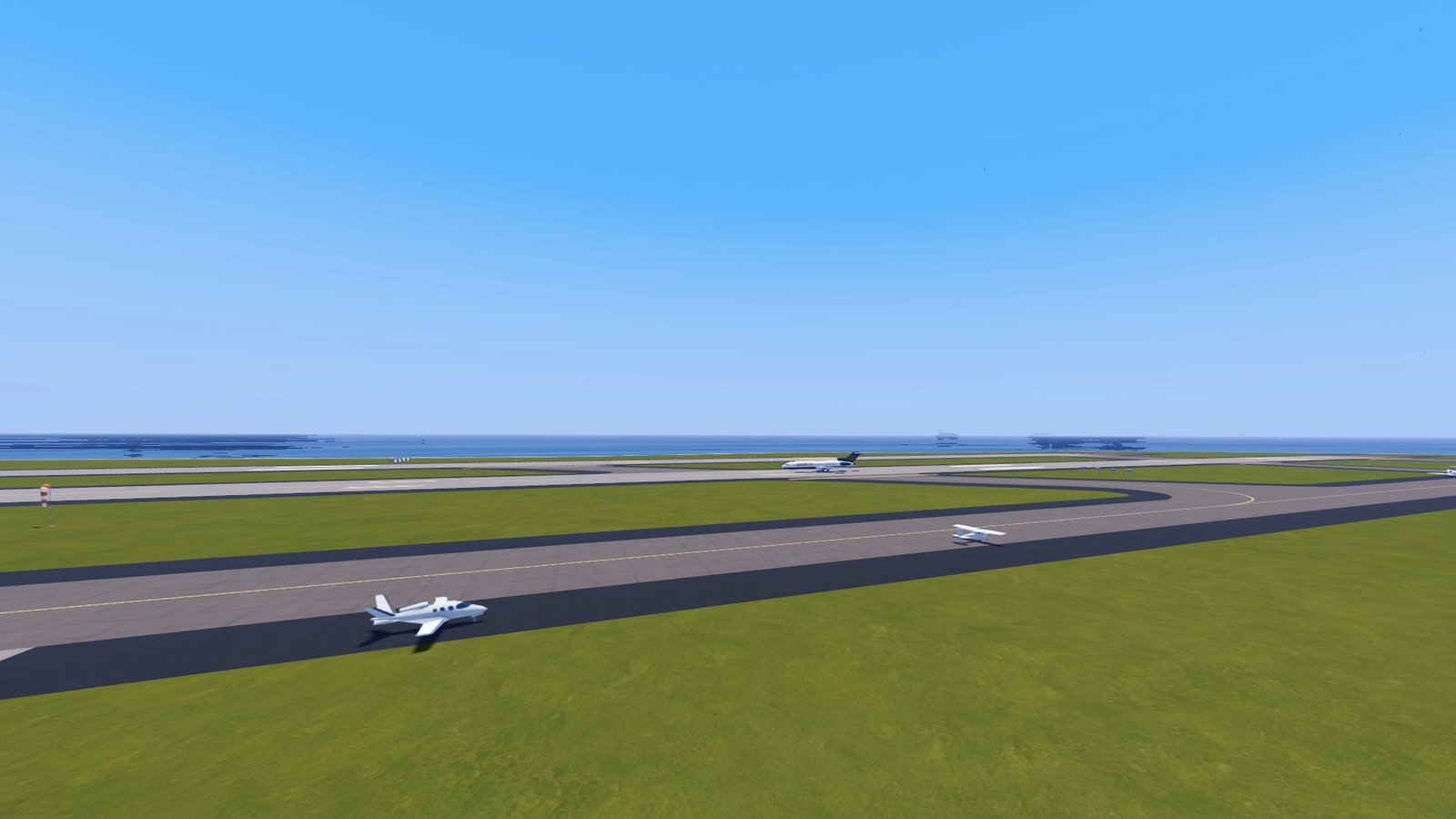
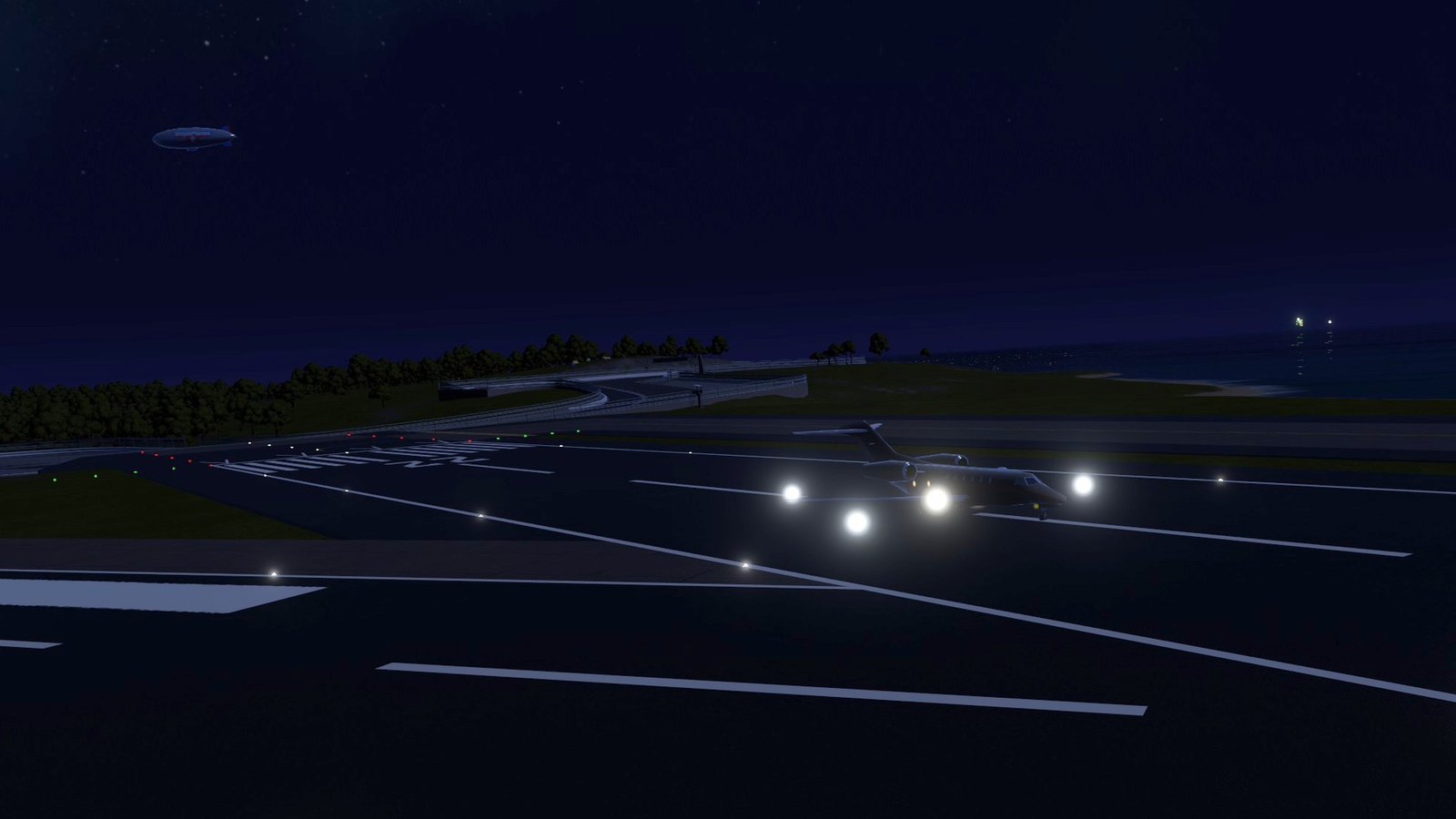
Air traffic for SimplePlanes 2. Keeps a set number of airliners around you that take off from and land on real runways, including runways added by other mods, plus light aircraft flying circuits and hops, helicopters flying pad to pad, business jets and turboprops, parked aircraft on the aprons, aircraft taxiing between the stands and the runways, a blimp and hot-air balloons, all with engine sounds. In single player it replaces the game's random sandbox AI traffic, but AI you spawn yourself (dogfights etc.) still works.
Every aircraft is a lightweight model, not an aircraft: a few meshes on one moving body, with no parts, no physics and nothing sent over the network. In multiplayer each player who has the mod sees their own traffic (see Multiplayer below).
Features
- Departures roll down the runway, rotate, climb out and turn towards another airport. Arrivals join a long straight-in final, flare and roll out.
- Runway use is scheduled, so planes don't take off or land on top of each other (light aircraft and helicopters included).
- Runways are checked before they're used. Runway thresholds are where players spawn, so airliners, business jets, turboprops and light aircraft look before they use one: you, other players, AI crafts, vehicles, people on foot and other traffic all count.
- New departures only appear on a runway with nothing on it. Lined up, a departure waits while anything is on the runway ahead (or another aircraft is on short final) and gives up after 90 s. If something comes onto the runway during the take-off roll, it stops if it still can.
- On final (the last 5 km), an arrival goes around if the runway is not clear: it climbs straight ahead, flies round and tries again. After two go-arounds it leaves the area instead.
- On the rollout it brakes hard to stop short of anything on the runway ahead.
- An aircraft standing on the runway is removed at once if someone appears right next to it (spawned there).
- In multiplayer, new traffic also keeps off any runway another player is within 1 km of (even though only you see it).
- Each type only uses runways long enough for it: airliners 1400 m or more, business jets and turboprops 1200 m, light aircraft 400 m. Everything but light aircraft also needs a paved runway, and never uses a small field (an "Airfield", "Airstrip" or "Field") whose length isn't known. Lengths come from the two ends of a runway, from a short list of known fields (Daland: about 505 m paved from the start location; Migicovsky: a grass strip), or are measured on the spot when you come within 2.5 km of a runway whose other end isn't registered (down the centreline, twice, for the session; the log says what it found). Until then such a runway counts as 1500 m. This works the same for runways added by other mods.
Show the restHide the rest
- Runway ends with high ground right on the approach or climb-out are left out automatically, once that ground is known (loaded around you, or from the game's own terrain map); the log names them.
- Realistic altitudes. Airliners cruise at up to FL200 (6100 m, about 20,000 ft), climbing at 8% and descending on a 3° slope like real ones. The map is small, so a flight between two airports here turns into its descent long before it gets that high: the longest routes top out around 4000 m, short hops around 1500 m.
- Overflights (4 by default). Airliners passing high overhead without landing, the way real airways cross a region:
- they cross the traffic area (1.5× the spawn radius around you) in a straight line, at a real flight level between FL200 and FL350 (6100–10700 m) and about 430 knots, then leave on the far side;
- eastbound ones fly odd flight levels (FL210, FL230...), westbound ones even levels, as in real life, and no two share a level if it can be helped;
- they're the ones that draw long contrails across the daytime sky;
- new ones come in at the edge of the area, out of sight, already trailing the contrail they'd have left. When a flight starts, the first ones appear part-way across, also out of sight.
- Mid-route spawns, so the sky isn't empty while departures take off. Some airliners appear already flying, part-way between two airports (15–85% of the route), at the height and speed they'd have there, with the gear up. They then fly the rest of the route and land normally. When a flight starts, traffic is brought up to the full count within seconds, most of it mid-route. Mid-route airliners appear:
- away from you (5 km by default);
- not in front of the camera unless they are at least 10 km away;
- clear of other airliners and well above the terrain.
- Built for performance. Airliners fly pre-computed paths instead of running full physics.
Airliners are models, not aircraft. The airliner craft (the bundled 737, or your own) is baked once into a plain model:
- its parts merged into a few meshes;
- landing gear that retracts after take-off and comes down about 7 km before landing;
- its light bulbs, blinking as designed at night and switched off by day;
- its labels (registrations, window rows) with their own copies of the text materials;
- a handful of box colliders (single player only).
Every airliner of that type is then a copy of that model on a single moving body, like the Sea Traffic ships. Far fewer objects, no part scripts and no networking per airliner.
- Model cache. The first time a craft file is used, it's loaded in the background (about 2 seconds for the 737) and baked; the finished model is then saved in
BepInEx/cache/AirTraffic. From the next flight on it loads from there in a few milliseconds, without reading the craft at all. It's baked again by itself when the craft file, the game version or the craft reflections quality changes. If the cached model can't be used (a texture or shader it needs isn't loaded yet), the craft is simply baked as before, and if the craft can't be baked either, the game's own C-130 model is used. Airliner lights you can see from far away at night. Every airliner carries proper external lights, drawn as bright glows that bloom:
- steady red (left wingtip) and green (right wingtip) navigation lights, and a white tail light;
- white strobes double-flashing at the wingtips and flashing at the tail, about once a second;
- red beacons flashing on top and underneath the fuselage, about once a second;
- landing lights on the runway and below about 3000 ft after take-off and on approach, seen from ahead.
A glow never gets smaller than a few pixels, so at night distant traffic shows as blinking lights moving across the sky, out to 40 km. Night and day follow the game's own "dark outside" test, the one that switches its car and city lights on.
By day there are no lights at all, as real strobes are hard to see in daylight: no glows, and the craft's own light bulbs stay off. With
DayStrobeson, small faint strobe flashes show on airliners 1 to 12 km away, never closer. The lights sit on the craft's own light parts where those look right (a red light out on the left wing, a white one at a wingtip...), otherwise at the wingtips, tail and fuselage taken from the model's shape. They're all drawn in one batch and move exactly with the airliners.- Cabin lights. At night each cabin window is lit from inside: the whole pane filled with a soft, even, warm light, as if the cabin lights are on, and the cockpit windows glow dimly. The windows are found in the craft's window-row labels (rows of dots such as
● ● ●), and the lit pane is the window's own shape (the label's dot drawn again in warm light). From further away, once the windows are only a pixel or two across, they merge into a faint line of light along the cabin, which fades out at about 3 km. Windows only show on the side facing you. An airliner-sized craft (14 m or longer) without such labels gets a made-up row of windows along each side of its fuselage instead (small lit rounded panes on the skin): about 60% of the way up, every 0.55 m from just behind the cockpit to before the tail. Contrails. Airliners flying above the onset altitude (5000 m by default, where the air is cold enough) draw white trails across the daytime sky. With the default settings that's mostly the overflights:
- one line per engine, starting about 40 m behind it. Over the first ~15 seconds the lines move out into the two wingtip vortices, so a four-engined jet's four lines become two;
- thin and dense at first, then sinking a little, drifting with the game's wind, spreading to about 70 m wide and fading out over the trail lifetime (2 minutes by default);
- lit by the sun: white by day, orange at sunset, and only faint at night;
- never thinner than a pixel or two on screen, so trails 50 km away still show as fine lines, out to 85 km;
- longer-lasting in cloudy (humid) weather and shorter in clear dry air. Fog, and a cloud deck between you and a trail, hide it;
- airliners that appear mid-route already have the trail they would have left behind them.
Every trail is drawn in one batch (one draw call), rebuilt each frame from samples taken once a second. Trails stay behind after their airliner lands, despawns or is shot down, and fade out normally.
- Light aircraft (4 by default), on top of the airliners. They use the game's own low-poly Cessna 172 and Cirrus SR22 models (the ones parked around its airfields), with turning propellers, so they cost almost nothing to draw. They prefer short runways and small fields (Daland, Kunimitsu, Shepard, the classic islands' strips...) and fly low (450–1200 m above the fields, never closer than 150 m to the terrain) at about 55 m/s:
- circuits: take-off, upwind, crosswind, downwind about 1.1 km abeam at 300 m, base and final, then touch-and-goes (2–4 laps) and a full-stop landing. Left-hand circuits, or right-hand where the terrain on the left is clearly higher. If the runway will be busy when it would land, the downwind is stretched to fit in behind;
- hops to another field 6–70 km away;
- sightseeing loops over nearby points of interest (bays, bridges, ports, race tracks: the map's non-runway start locations), back home or on to a nearby field.
- Helicopters (2 by default): the game's own helicopter model; only its rotor blades turn (the main rotor about its mast, the tail rotor about its own shaft). They fly from pad to pad (Kunimitsu's two helipads, the HeliSAR pad at Bannock Base once it has loaded, and one apron spot per airport you've been near: roomy paved ground at least 100 m from every runway, off the taxiways, 150 m from start locations and clear of the parked aircraft) or tours out over a few points of interest and back. They never use runways. Each flight: the rotor spools up, a vertical lift to 30 m, nose-down acceleration, a low cruise (150–450 m above the ground, following the terrain) with banked turns, a decelerating approach at about 7°, a hover 15 m above the pad, a slow vertical descent, and the rotor winding down after landing. A pad with something standing on it, or with you within 300 m, isn't picked; one you're within 150 m of isn't started from. On the way in (last 1.2 km, hover and descent) the pad is checked again: if you're within 100 m of it, or anything that moves is on it, the helicopter goes around and diverts to another free pad nearby, or holds (a loop out and back) and tries again; after three tries it flies away.
- Business jets and turboprops among the airliners (15% each by default): the game's Citation X model (fast, steep climbs, 8 km finals) and its C-130 Hercules (turning propellers, gear that retracts, slower and lower, 6 km finals). Both need a paved runway of 1200 m or more for departures, arrivals and mid-route flights alike, so never Daland, Migicovsky or another small field.
- Parked aircraft on the aprons of airports near you (within 4 km of the camera):
- first in the game's own aircraft parking spots that it left empty this time;
- then on aprons found around each runway: flat paved ground at runway height, well off the runway and its extended centreline, paved all round (so not on a taxiway), nothing standing there, at least 130 m from every start location (so you never spawn into one), closest to the hangars and terminals first;
- the same spots and models every time for an airport, randomly painted like the game's own;
- simple box colliders in single player: hitting one is like hitting a building (nothing explodes);
- at night most are dark, some have their cabin lit, and a few a flashing beacon. The game's own parked planes get the same night lights.
- Airport ground life at airports near you (within 5 km of the camera):
- departures from the stands: one of the parked aircraft starts its engines (beacon on) and taxis away in its place, or an airliner, business jet or turboprop starts up at a stand next to a terminal or hangar (one you can't see at that moment). Nose-in, it is pushed back first (the tail swings round a quarter circle, then a pause for the tug), then it taxis to the runway at 8–12 m/s (light aircraft 6–9 m/s), slower in the turns, holds short, lines up when the runway is free and takes off on its flight as usual. Where ground traffic runs, departures come from the stands instead of appearing on the runway;
- arrivals taxi in: after the rollout an aircraft that lands near you turns off the runway, taxis to a free stand that fits it (one of ours, or a parked-aircraft spot that's empty because its aircraft left), parks with its engines off for a few minutes and may later depart again;
- taxi routes come from probing each airport once as you come near: a grid of rays over the airport finds the pavement, the grass and everything standing on it (buildings, hangars, fences, the game's parked planes). Routes keep to the middle of the taxiways with room for the wingtips, go round parked aircraft, avoid the runway itself where they can, and are rounded off. Light aircraft may use the grass;
- they watch out for you. Several times a second, every taxiing aircraft looks along its route ahead (behind it while it's pushed back), as far as it needs to stop plus a margin and as wide as its wings: you and other players (on foot or in crafts), AI crafts, cars, people, other traffic and parked aircraft. It slows down and stops well short (its nose 8 m or more off), and never moves at all while someone is right next to it. A pushback only starts once the whole way back is clear. Blocked for more than a minute (four when it's queuing behind other traffic), it gives up and is removed as soon as you're not looking at it;
- runways: a taxiing aircraft holds short (about 60 m from the centreline) of every runway it crosses or enters and only goes on when nothing is on it (people, crafts, other traffic), nothing is on final (within 8 km; 6 km to line up) and the runway isn't booked; then it books the runway for as long as it needs. Landing and departing traffic sees taxiing aircraft on the runway too, and holds or goes around;
- lights: nav lights, beacons and the taxi light while taxiing (no strobes); dark when parked. Engines idle while taxiing;
- where no route can be found at an airport (no pavement found, or three routes in a row fail), it's logged and departures there start on the runway as before.
- Engine sounds on the lightweight aircraft: airliners, overflights, business jets (the airliner sound, higher and thinner), turboprops, light aircraft, helicopters and the blimp. Only the nearest few (6 by default; strictly, the loudest where you're listening) have a sound at once.
- The sound follows the engines: idle on the ground and taxiing, a roar on the take-off roll, climb power, a quieter cruise and descent, reverse thrust early on the rollout; helicopters follow their rotor, spooling up and winding down; parked aircraft are silent, and start up before they taxi.
- Distance: full volume close by, then falling off with distance. Jets carry several kilometres, light aircraft one or two. The air takes the treble off far sounds, and an overflight at a flight level is only a faint, low rumble.
- A Doppler shift as they pass, toned down so a 250 m/s overflight doesn't sound silly.
- Quieter and muffled in cockpit view (by how enclosed the game says the cockpit is), silent under water, paused with the game, silent in menus and the designer, stopped when the flight ends. The game's master volume applies.
- Sounds are only played on your computer.
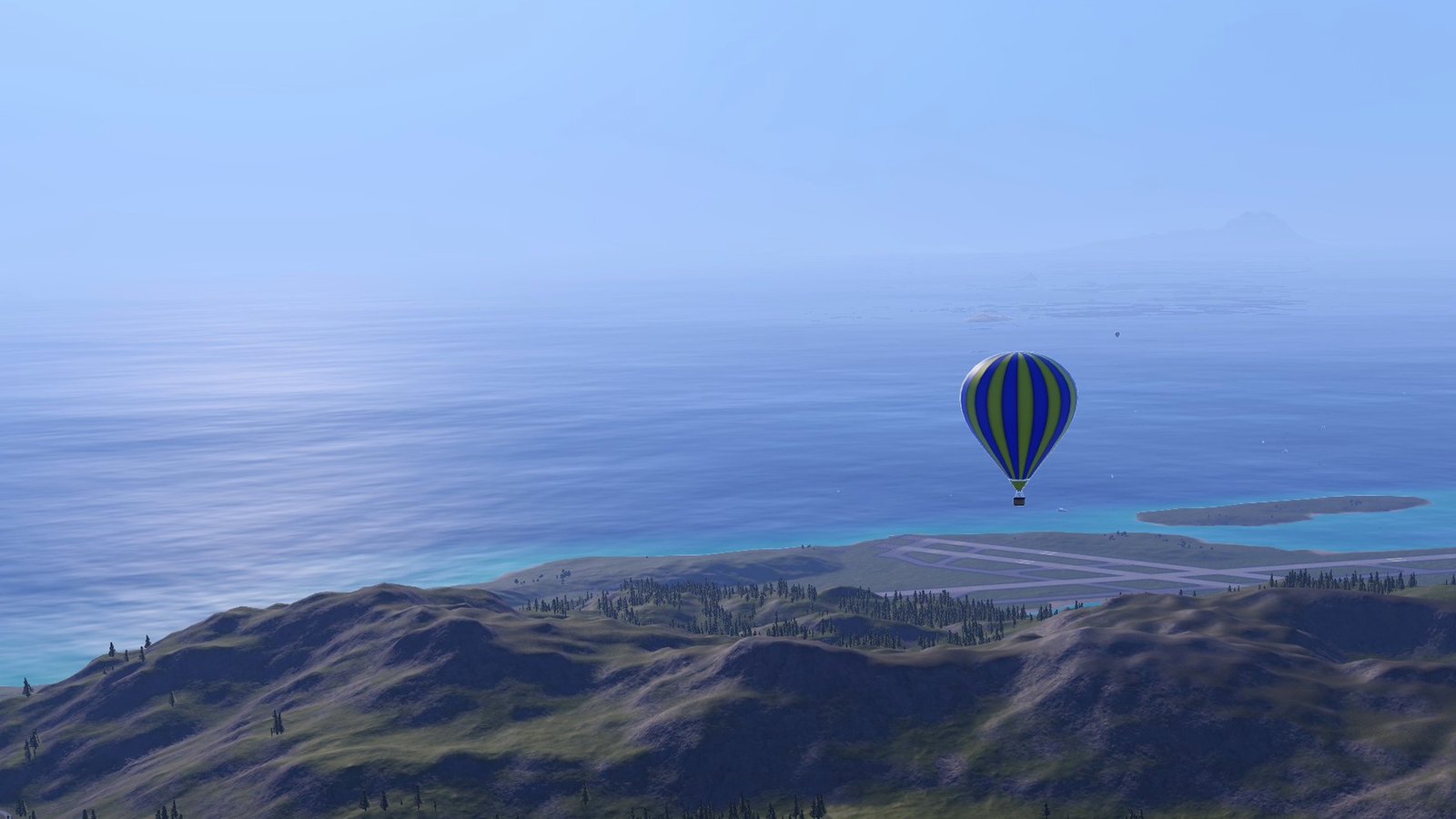
- A blimp slowly circling a landmark near you (lit at night, envelope glowing), and hot-air balloons drifting with the wind around dawn and dusk, their burners flaring now and then (and lighting the envelope at dusk).
- Lights on everything. Light aircraft, helicopters, bizjets and turboprops get nav lights, strobes, beacons, landing lights and a cockpit glow placed from their shape (the bizjet also a row of cabin windows), drawn in the same batch as the airliners'.
- On the Flight Map. Air Traffic's aircraft aren't crafts, so the Flight Map mod reads them from Air Traffic's public traffic list (your own traffic): airliners, overflights (labelled with their flight level), bizjets, turboprops, light aircraft, helicopters (rotor symbol), the blimp, balloons and (optionally) parked aircraft.
- Shadows are only drawn up close, colliders are only active within a set range, and distant bodies are hidden while their lights stay on.
- Single player: crash into an airliner and it goes up in a big explosion (your craft takes the hit too). Airliners can also be shot down, and optionally locked onto.
- Works in multiplayer, host or guest: your traffic is only on your own screen and never touches the other players (see Multiplayer below).
 (open larger)
 (open larger)
 (open larger)
 (open larger)
 (open larger)
Usage
Show usageHide usage
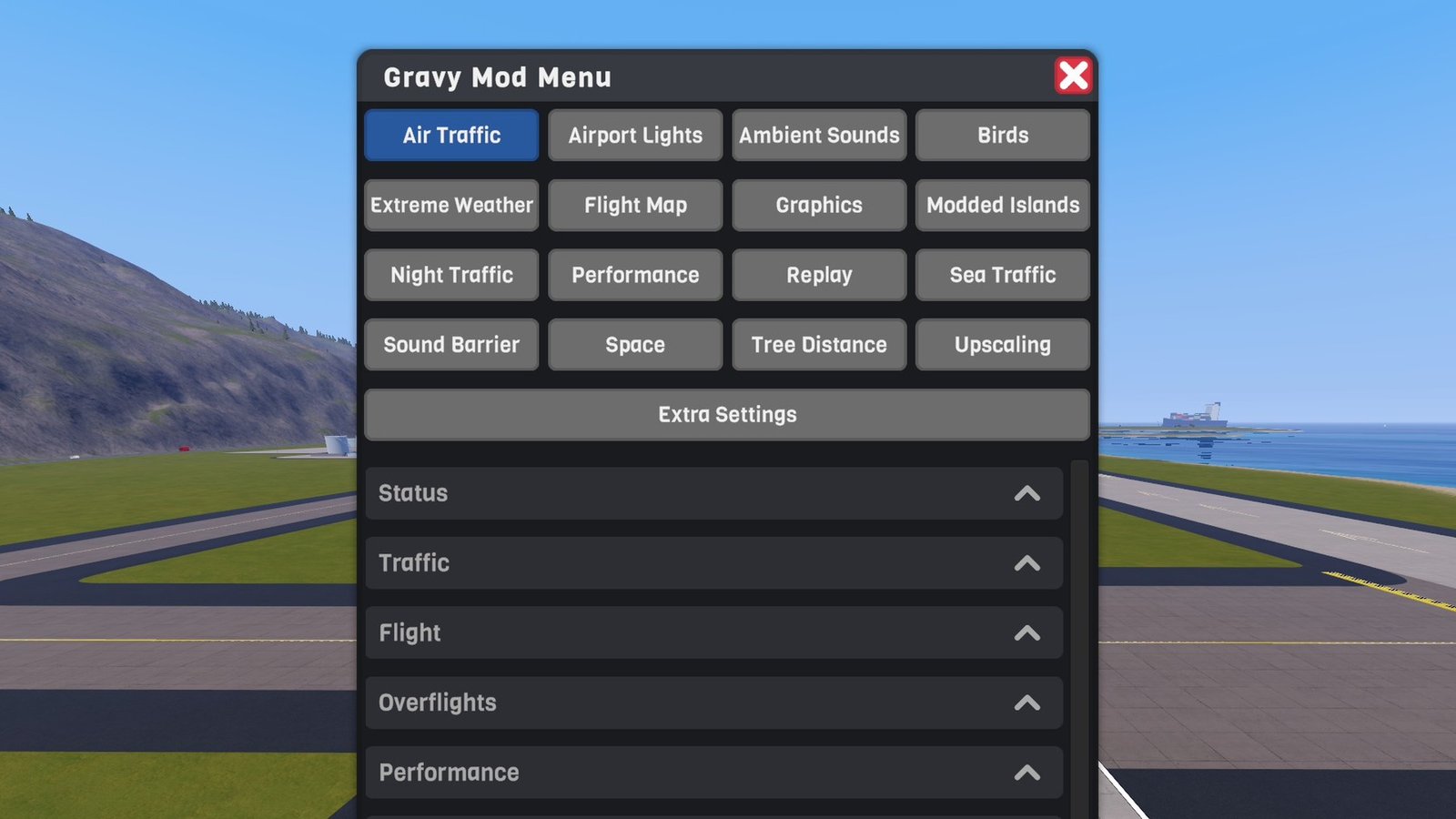
Settings and controls live in the Gravy Mod Menu (Air Traffic tab) if that mod is installed. It shows:
- live status: FPS, flights and their phases, how many aircraft there are and their total renderer count, which airliner model is used (and whether it came from the model cache); light aircraft, helicopters, parked aircraft, the blimp and balloons;
- ground traffic (taxiing / parked, airports mapped) and engine sounds (how many aircraft you can hear);
- Spawn Departure, Spawn Arrival, Spawn Mid-Route, Spawn Overflight, Spawn Light Aircraft, Spawn Helicopter, Spawn Taxiing Departure, Despawn All, Reload Runways and Clear Model Cache buttons;
- every setting below.
Without it, edit the .cfg file.
Settings saved by a pre-release build are updated once: a cruise altitude still at the old 2200 m becomes 6100 m, a contrail onset still at the old 1700 m becomes 5000 m, and day strobes are switched off. Values you had changed are kept.
Airliner model: Air Traffic comes with an airliner craft (a Boeing 737-200, data/crafts/Boeing737.xml; it was GravyAirliner737.xml before and that name still works), so airliners and overflights work out of the box. In the menu and on the Flight Map it's called "Boeing 737", and so is any airliner craft of yours with "737" in its name. Which model is used, in order:
- your own crafts: the file names in
Traffic/Crafts(relative to yourCraftsfolder, with.xml, separated by|), if they're in yourCraftsfolder and can be baked; - otherwise the airliner that comes with the mod;
- if that's missing or can't be baked, the game's own C-130 model.
The log and the menu's status say which one is used. To fly your own airliner, save it in your Crafts folder and put its file name first in Traffic/Crafts. Whichever craft it is, it's only ever used as the source of the model: it's never spawned as a craft. A stripped-down "bot version" with fewer parts bakes faster and draws a little faster.
Models of the other types: each Models setting is a |-separated list. world: names are the game's own low-poly vehicle models, which need no craft loading: world:cessna (Cessna 172), world:vplane (Cirrus SR22), world:cropplane (crop duster), world:private (Citation X), world:hercules (C-130), world:heli (helicopter). Each is copied and set up once per session, spread over three frames; the log says how long it waited for the game to load the model (in the background, behind the game's own loading) and how long the setup itself took. Craft files work too (e.g. Stock Craft/Cobia.xml or Stock Craft/Bush Plane.xml for light aircraft, Stock Craft/Super Camel.xml for turboprops): they're baked into a lightweight model like the airliners, but their propellers and rotors don't turn. Undiscovered discoverable crafts are skipped.
 (open larger)
Multiplayer
Show multiplayerHide multiplayer
Experimental online. This mod runs in multiplayer, but it still has bugs there that aren't fixed yet. It works best in single player for now.
Everyone with the mod runs their own traffic, on their own screen only. Air Traffic never spawns anything over the network (no crafts, no AI players, no networked objects) and patches nothing in the game's networking:
- Single player: everything, with colliders: you can crash into airliners or shoot them down. AI crafts (yours, or the game's) don't make it multiplayer; only other people do.
- Hosting, or joining someone else's server: the same traffic, but it exists only on your computer. Other players don't see your airliners, and you don't see theirs; if they have the mod too, they have their own traffic, which won't match yours. In multiplayer your traffic has no colliders and can't be locked onto or shot, and nothing that happens to it (explosions included) can reach the other players. Parked aircraft lose their colliders too.
- It still keeps out of everyone's way. Runways and taxiways are checked for every player's craft and person, not only yours: new traffic keeps off runways another player is within 1 km of, departures wait, arrivals go around, and taxiing aircraft stop for other players exactly as they do for you.
- The game's own random AI is only switched off in single player (unless
KeepStockRandomAiis on). Hosting, it stays as the server has it for everyone (if it was switched off before someone joined, it's switched back on), and a guest never touches it. AI you spawn yourself always works. - Players without the mod see nothing of Air Traffic, and nothing changes for them.
- Engine sounds, contrails, lights and the Flight Map entries are all local too.
Settings
Show all settingsHide settings
| Section | Setting | Default | Notes |
|---|---|---|---|
| Traffic | Enabled ("Airliners") | true | Airliners arriving, departing and flying between airports, with their business jets, turboprops and ground traffic. Only these: overflights, light aircraft, helicopters, parked aircraft, the blimp and balloons have their own settings and keep going when it's off |
| Traffic | Count | 3 | Airliners kept around you (0–30) |
| Traffic | RadiusKm | 25 | Spawn radius; despawn beyond 1.6× |
| Traffic | DepartureShare | 0.5 | Of the spawns that aren't mid-route: share that start on a runway (the rest arrive on approach) |
| Traffic | MidRouteShare | 0.4 | Share of top-up spawns that appear already flying, mid-route |
| Traffic | InitialFill | true | When a flight starts, fill up to the full count straight away (one airliner a second) |
| Traffic | InitialMidRouteShare | 0.6 | Share of those first airliners that appear mid-route |
| Traffic | MidRouteMinDistanceKm | 5 | Mid-route airliners never appear closer than this. In front of the camera, they appear only beyond twice this (at least 10 km) |
| Traffic | Crafts | Boeing 737-200 Pan Am BOT VERSION.xml| | Your own airliner craft files (see above); the bundled airliner if none is found |
| Traffic | ExcludedRunways | Maywar Airport 02|Maywar Airport 03|Migicovsky | Runway names (contains) the AI never uses (ends with high ground on the approach are also left out automatically). An entry ground:<airport name> only switches off ground traffic there |
| Traffic | KeepStockRandomAi | false | Single player: also allow the game's own random AI (in multiplayer it's never switched off) |
| Traffic | BizjetShare / TurbopropShare | 0.15 / 0.15 | Share of Count that are business jets / turboprops |
| Traffic | BizjetModels / TurbopropModels | world:private / world:hercules | Models (see above) |
| General Aviation | Count | 4 | Light aircraft around you, on top of the airliners (0–20) |
| General Aviation | Models | world:cessna| | Models (see above) |
| General Aviation | RadiusKm | 15 | Fields used within this distance; removed beyond 1.6× |
| General Aviation | CircuitShare / TourShare | 0.45 / 0.2 | Share flying circuits / sightseeing loops; the rest hop to another field |
| General Aviation | Speed | 55 m/s | Cruise speed (circuits at 42 m/s at most) |
| General Aviation | MinAltitude / MaxAltitude | 450 / 1200 m | Cruise height of hops and tours above the fields (always 150 m clear of the terrain) |
| Helicopters | Count | 2 | Helicopters around you (0–10) |
| Helicopters | Models | world:heli | Models |
| Helicopters | RadiusKm | 15 | Landing sites used within this distance; removed beyond 1.6× |
| Helicopters | TourShare | 0.35 | Share of tours (out over points of interest and back to the same pad) |
| Helicopters | Speed | 55 m/s | Cruise speed |
| Helicopters | MinAltitude / MaxAltitude | 150 / 450 m | Cruise height above the ground |
| Parked Aircraft | Enabled | true | Parked aircraft on aprons near you |
| Parked Aircraft | PerAirport | 6 | Most placed on one airport's aprons (the game's empty parking spots come on top) |
| Parked Aircraft | RangeKm | 4 | Placed at airports within this distance of the camera |
| Parked Aircraft | Solid | true | Box colliders (like hitting a building; single player) |
| Parked Aircraft | NightLights | true | Some cabins lit at night, a few beacons |
| Parked Aircraft | LightGameParked | true | The same night lights on the game's own parked planes |
| Parked Aircraft | Models | world:cessna| | World models only; repeat one to make it more common |
| Ground Traffic | Enabled | true | Aircraft taxiing between the stands and the runways at airports near you (they're airliners, bizjets and turboprops, so Airliners must be on too) |
| Ground Traffic | MaxTaxiing | 3 | Most aircraft taxiing at once (starting up, pushing back, taxiing, holding); parked arrivals come on top, up to twice as many (0–10) |
| Ground Traffic | RangeKm | 5 | Only at airports within this distance of the camera; removed (out of sight) beyond 1.6× |
| Sounds | EngineSounds | true | Engine sounds on the lightweight aircraft |
| Sounds | Volume | 100% | Engine sound volume (0–200%; the game's master volume applies on top) |
| Sounds | MaxAudibleAircraft | 6 | Most aircraft heard at once: the loudest where you're listening (1–12) |
| Ambient | Blimp | true | A blimp circling a landmark near you |
| Ambient | Balloons / BalloonCount | true / 3 | Hot-air balloons 2–8 km around you at dawn (5:00–9:30) and dusk (16:00–20:00); the menu's status says so outside those hours |
| Overflights | Count | 4 | Airliners passing high over the area without landing, on top of Traffic/Count (0–20) |
| Overflights | MinAltitude / MaxAltitude | 6100 / 10700 m | Range of flight levels they use (FL200–FL350) |
| Overflights | Speed | 220 m/s | About 430 knots; each one varies by a few percent |
| Flight | CruiseSpeed / ApproachSpeed / RotateSpeed | 110 / 72 / 72 m/s | |
| Flight | CruiseAltitude | 6100 m | Highest cruise of flights between airports (FL200). Most routes here are too short to get there |
| Flight | GlideSlope / FinalLength | 3° / 12000 m | |
| Flight | TakeoffAcceleration / ClimbOutDistance / BankAngle | 2.2 m/s² / 3000 m / 25° | |
| Performance | HideDistanceKm | 12 | Bodies hidden beyond this (lights stay) |
| Performance | ShadowDistance | 400 m | Shadows only within this |
| Performance | CollisionDistance | 2500 m | Single player: colliders only within this (none in multiplayer) |
| Performance | ModelCache | true | Keep baked airliner models in BepInEx/cache/AirTraffic, so they load without the craft next time |
| Performance | ShowDiagnostics | false | Frame/draw-call stats and per-model build stats in the menu |
| Performance | VerboseLog | false | A log line for every spawn, despawn, flight path and layout |
| Combat | Destructible | true | Airliners can be shot down (single player) |
| Combat | Targetable | false | Airliners can be locked by weapons (they also show as targets; single player) |
| Lights | LightBrightness | 4 | How bright the light glows are (high enough to bloom) |
| Lights | LightSizePx | 6 px | Smallest on-screen size of a glow, however far away. Flashing strobes and landing lights are bigger |
| Lights | MaxLightDistanceKm | 40 | Lights are drawn out to this distance at night (strobes by day: 12 km at most) |
| Lights | DayStrobes | false | By day: small faint strobe flashes (and landing lights) on airliners 1–12 km away, never closer. Off: no lights by day |
| Lights | CabinLights | true | Cabin window panes lit warm at night (cockpit windows dimly); a faint line of light out to about 3 km |
| Lights | CabinBrightness | 0.6 | How bright the lit cabin windows are (about 1 and up starts to bloom) |
| Contrails | Enabled | true | Trails behind airliners above the onset altitude |
| Contrails | OnsetAltitude | 5000 m | Trails form above this height (fading in over ±150 m). Mostly overflights get this high; lower it (e.g. 2500 m) for trails from local flights too |
| Contrails | TrailLifetime | 120 s | How long a trail lasts before it has spread and faded (20–300 s) |
| Contrails | Width | 1 | Scales trail width (about 2.5 m behind the engines, 70 m at the end) |
| Contrails | Opacity | 0.7 | How dense a fresh trail is |
| Contrails | Brightness | 1.3 | How bright trails are in sunlight. Lower it if they look too white or glow |
| Contrails | WeatherAffectsTrails | true | Trails last longer in cloudy weather and shorter in clear skies |
Known limitations
Show known limitationsHide known limitations
- Airliners are on rails: a hit airliner explodes rather than falling out of the sky.
- Airliner models:
- landing gear is hidden or shown rather than animated, and flaps/spoilers stay as designed;
- gear is found by following rotators set to the Landing Gear input; other gear designs stay down;
- the pilot figure and projected decals are left out of the model;
- all light bulbs are on, whatever their activation group.
- The external light glows follow a standard airliner pattern (steady nav lights, double-flash strobes, 1 s beacons), not the craft's own blink settings. Up close at night, a craft light bulb and its glow can blink out of step.
- By day the craft's light parts show their unlit look. A light part whose unlit mesh can't be found shows nothing by day.
- Cabin lights come from window rows made of label text (dots such as
●,•,■, or a row ofo/O/0). On a craft without them (windows modelled as parts or painted on) the made-up row only follows the fuselage's shape, so it can sit a little off the real windows, and crafts shorter than 14 m get none. The log says per airliner whether the windows came from labels or were made up (and which labels it saw). The cockpit glow's place is worked out from the nose's shape, not from the real cockpit windows. Further away the windows are soft glows just outside the skin, so the edge of one can show a little round the fuselage when seen nearly edge-on. - Where a craft has no light that looks like a nav light, strobe or beacon, its glow goes where it would be on a real airliner, worked out from the model's shape.
- Glows are added on top of the picture. Against a bright daytime sky, strobes are visible but not as striking as at night. Seen from above a cloud deck, they're dimmed by the cloud cover rather than hidden.
- Multiplayer: every player sees only their own traffic, so two players with the mod never see the same airliner, and someone without the mod sees none. Your airliners can't be hit or shot in multiplayer (they have no colliders), and a crash into one does nothing.
- Model cache:
- a cached model is the craft as it was baked: it's baked again when the craft file changes, but not when only a texture or shader the craft uses changes without a game update. Use Clear Model Cache in the menu (or delete
BepInEx/cache/AirTraffic) if a model ever looks wrong; the next flight bakes it again; - the game's own (unreadable) textures and meshes are stored by name and looked up when the model loads. If one isn't loaded at that moment, that flight bakes the craft as before (the log says which one);
- one file per craft, several megabytes for the 737 (mostly its meshes).
- a cached model is the craft as it was baked: it's baked again when the craft file changes, but not when only a texture or shader the craft uses changes without a game update. Use Clear Model Cache in the menu (or delete
- If no spot passes the mid-route checks, the airliner spawns as a normal departure or arrival instead, so the real mid-route share can be lower than set. This happens with a small spawn radius or few airports nearby.
- The terrain check uses the game's own map of terrain heights, and only after checking that map against the known runway heights. Where neither that map nor loaded terrain covers a spot, a mid-route airliner only appears at cruise altitude. Routes themselves still don't avoid terrain, the same as for departures.
- Altitudes: routes between airports climb at 8% and descend at 5%, so a route would need to be about 200 km long to reach FL200. On this map they top out between about 1500 m (short hops) and 4000 m (the longest routes).
- Overflights fly dead straight at one level and never turn, climb or descend. They're placed around where you are when they spawn, so flying fast in one direction leaves them behind (they're removed once they're out of the area).
- Contrails:
- airliners only make trails when they get above the onset altitude. At the default 5000 m that's the overflights; flights between airports here don't get that high. Lower
OnsetAltitude(e.g. to 2500 m) to see trails from the longer local routes too; - trails are see-through ribbons drawn on top of the sky. A cloud deck between you and a trail hides it according to the cloud cover, not cloud by cloud, so behind broken clouds a trail is dimmed rather than showing through the gaps;
- the engine positions come from the craft's engine parts, else its forward-facing intakes, else a standard twin layout at a third of the half span;
- like the airliners themselves, trails are only on your own screen.
- airliners only make trails when they get above the onset altitude. At the default 5000 m that's the overflights; flights between airports here don't get that high. Lower
- Light aircraft, helicopters and the other world models:
- the models have fixed gear (except the C-130), no cockpit interior and no pilot; flaps and control surfaces don't move;
- propellers and rotors turn at a fixed visual speed (no blur disc); the Cirrus has no separate propeller in the game's model, so its propeller stays still;
- their lights are placed from the model's shape, not from real light positions;
- baked craft files used as light aircraft, helicopters or turboprops don't turn their propellers or rotors;
- light aircraft fly the same Dubins-style paths as the airliners: circuits are drawn with constant-radius turns, and touch-and-goes don't use the whole runway;
- helicopters land on the pad position from the start location (measured once it has loaded). Apron spots only exist for airports the parked-aircraft probe has looked at (so with Parked Aircraft switched off, only the real helipads are used, and with none within the radius there are no helicopters). Rooftop and hospital pads, carrier decks and oil rigs are only used if they're start locations with "helipad", "heliport", "oil rig" or similar in their name;
- the "you're on the pad" check uses the player positions (any player in multiplayer) and anything with a physics body standing on the pad; a parked car without one doesn't count;
- helicopters stop on their pad and disappear a few seconds later. Fixed-wing aircraft do the same where there's no ground traffic (far from you, ground traffic off, or no free stand / taxiing slot).
- Runway lengths: a runway whose other end isn't registered and that isn't in the known list counts as 1500 m until you've been near it, so a short one far away (say, a classic island's strip) can still get a business jet or turboprop before it's measured. A measurement is only kept when two tries agree; it's forgotten when the game restarts.
- Parked aircraft:
- aprons are found by probing the ground, so on an airport whose aprons are part of the terrain (not their own mesh) they only go on flat ground near the hangars, and a wide paved area next to a taxiway can't be told from the taxiway itself;
- a car or craft standing on a spot when it's probed keeps that spot empty for the rest of the flight.
- Ground traffic:
- the taxi routes come from a probe of the ground (about 10 m apart), not from real taxiway data. Something thin (a lamp post, a sign) between two probe points can be missed, and a model can clip through it; anything lower than 2 m counts as clear for the wings. On an airport whose aprons are part of the terrain rather than their own mesh, only light aircraft find routes (over the grass);
- holding points are a fixed distance (about 60 m) from the runway centreline, so a taxiway running closer than that alongside a runway counts as part of the runway, and aircraft hold before going onto it;
- a runway that's only registered at one end counts as 1500 m long for the holding points;
- on a runway with no turn pad or parallel taxiway, an aircraft that has to backtrack turns round on the spot, slowly; arrivals stop on the runway at the end of the rollout before they turn off;
- pushbacks have no tug and are a fixed quarter circle (or straight back); the wheels don't turn;
- two aircraft meeting head on on one taxiway both wait and give up after a while (then disappear out of sight);
- our stands are found next to buildings with room for a 35 m wingspan; the bundled 737 fits, bigger crafts may not, and then they don't park there (airliners that don't fit anywhere disappear after the rollout as before);
- the probe of an airport takes a few seconds (spread over frames) the first time you come within about 4.5 km of it.
- Engine sounds:
- one recorded loop per kind, pitched and faded by the phase: no separate start-up, spool or reverse-thrust samples;
- the sound comes from the aircraft's middle, not from each engine, and arrives without the speed-of-sound delay;
- only the game's master volume applies (the game has no separate effects volume); the sounds bypass the game's mixer, so its cockpit and underwater effects are imitated, not shared.
- Balloons drift with the game's wind (at least 1.2 m/s) and don't land.
- Runway checks: a craft or person just beside the runway (within about 40 m of the centreline) counts as on it, so traffic can wait or go around for something that's only near the edge. A departure that can't stop in time keeps going. An aircraft that waited too long, or was in the way of someone who spawned next to it, disappears.
- Go-arounds fly a fixed pattern (straight ahead, then round to a new final) at about 600 m above the runway (300 m for light aircraft); like the rest of the route, only the terrain floor keeps it clear of hills.
- Only the main SP2 map is supported.
Requirements
Show requirementsHide requirements
- SimplePlanes 2 0.7.9. If a game update changes something Air Traffic relies on, only that feature switches off (with one line in the log); the rest keeps working.
- BepInEx 5 (5.4.x, x64 Mono build) installed in the game folder. On Linux/Steam Deck with Proton, add
WINEDLLOVERRIDES="winhttp=n,b" %command%to the game's launch options.
The Gravy Mod Menu is recommended: most mods keep their in-game settings and status there. Without it, edit the .cfg files in BepInEx/config/.